

Are you ready to build a stunning WordPress website without spending hours designing from scratch? Pre-designed WordPress templates can be your secret weapon.
They save you time, reduce stress, and help you create a professional site that stands out. Imagine having access to over 90 ready-to-use blocks, templates, and powerful extensions—all designed to speed up your website launch. With tools like Nexter, you get everything you need in one place to bring your vision to life quickly and easily. Keep reading to discover how these templates can transform your website-building experience and why Nexter might be exactly what your project needs.
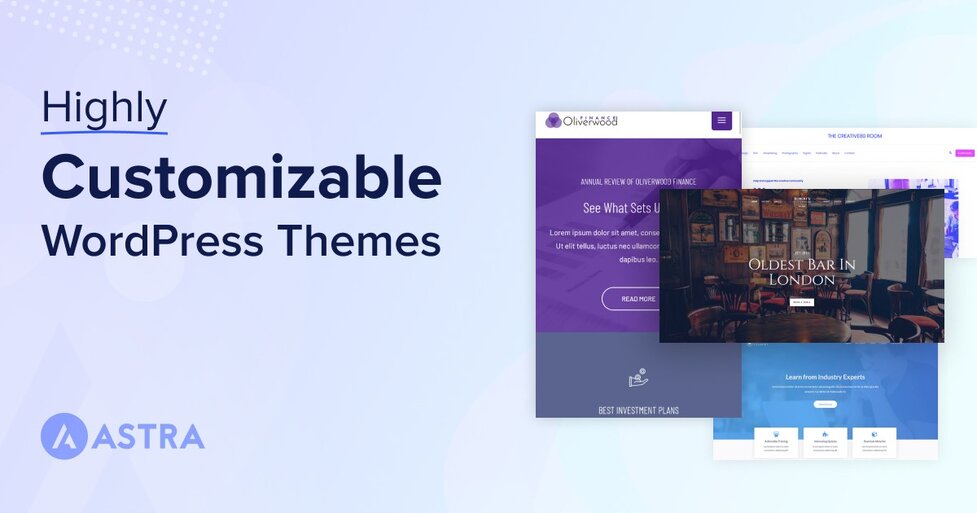
Credit: wpastra.com
Introduction To Pre-designed WordPress Templates
Pre-designed WordPress templates offer a fast and easy way to build websites. They come with ready-made layouts and styles. This helps users focus on content rather than design. Templates suit various website types like blogs, portfolios, or business pages. Using templates reduces the need for coding skills.
Tools like Nexter provide a rich collection of templates and blocks. Nexter offers over 90 customizable blocks and templates. This toolkit helps create stunning websites quickly and efficiently. The pre-built designs ensure your site looks professional from the start.
Understanding The Purpose Of Pre-designed Templates
Pre-designed templates serve as a foundation for website creation. They provide:
- Consistent design: Uniform look across pages.
- Time savings: Skip building layout from scratch.
- Ease of use: Simple drag-and-drop editing.
- Responsive design: Templates work on all devices.
- Customization: Modify colors, fonts, and content.
Templates help users avoid design overwhelm. They offer structure and style guidance. This is especially helpful for beginners or small businesses.
How Templates Enhance Website Building Efficiency
Templates speed up website development by:
- Reducing setup time: Start with ready layouts.
- Providing design blocks: Use pre-built sections like headers and footers.
- Minimizing errors: Tested templates prevent common mistakes.
- Allowing focus on content: Spend time writing, not designing.
With tools like Nexter, assembling a site becomes simple. The drag-and-drop interface and rich template library cut down hours of work. This means launching websites faster and with less frustration.
Key Features Of Pre-designed WordPress Templates
Pre-designed WordPress templates offer a quick way to launch professional websites. They come packed with features that fit various needs. These features ensure websites look great, work well, and are easy to customize. Nexter, for example, provides a toolkit with over 90 blocks, templates, and extensions to build sites fast.
Wide Variety Of Design Options For Different Niches
Templates cover many niches like business, portfolio, blog, and e-commerce. This variety helps users find designs that match their goals quickly. Each template is crafted to suit specific industries, making the website relevant and appealing.
- Business and corporate layouts
- Creative portfolios for artists and designers
- Online stores and product showcases
- Blogs and news sites
- Event and landing pages
Responsive And Mobile-friendly Layouts
Templates automatically adapt to different screen sizes. This ensures the website looks perfect on smartphones, tablets, and desktops. Mobile-friendly design improves user experience and keeps visitors engaged.
- Flexible grids and images
- Touch-friendly buttons and menus
- Fast loading times on mobile devices
Built-in Customization Tools For User Flexibility
Users can easily change colors, fonts, and layouts without coding. Drag-and-drop builders and live previews simplify the design process. These tools allow quick adjustments to fit brand identity and preferences.
- Color scheme selectors
- Font style and size controls
- Layout and block arrangement options
- Real-time design preview
Seo-optimized Structures To Improve Search Rankings
Templates come with clean code and fast loading speeds. They follow SEO best practices to help websites rank higher on search engines. Proper use of headings, meta tags, and schema markup is built in.
| SEO Feature | Benefit |
|---|---|
| Clean HTML/CSS code | Faster page loading and better crawlability |
| Optimized heading structure | Improved content hierarchy for search engines |
| Schema markup support | Enhanced rich snippets in search results |
| Mobile-friendly design | Higher ranking on mobile search results |
Integration With Popular Plugins And Widgets
Templates work smoothly with common WordPress plugins. This expands website functionality without conflicts. Widgets for social media, contact forms, and SEO tools fit easily.
- WooCommerce for online stores
- Yoast SEO and Rank Math for SEO
- Contact Form 7 and WPForms for forms
- Social media sharing buttons
Nexter’s templates support these plugins and many more. This ensures users have tools to grow and manage their websites effectively.
Pricing And Affordability Breakdown
Choosing the right WordPress template means balancing cost and value. Pricing varies widely between free and premium templates, with different payment models and features. Understanding these options helps select a template that fits both budget and needs.
Free Vs. Premium Templates: What You Get
Free templates offer basic designs and limited customization. They suit simple websites or those just starting out.
- Limited design options
- Basic support or community forums
- Often fewer updates
Premium templates provide advanced features and professional designs. They come with regular updates and dedicated support.
- Access to extensive template collections
- Customization tools and advanced blocks
- Priority customer support
- Higher security and performance standards
Subscription Models And One-time Purchases
Template pricing often follows two main models:
| Model | Description | Pros | Cons |
|---|---|---|---|
| Subscription | Pay monthly or yearly for access to many templates and updates. |
|
|
| One-Time Purchase | Pay once for a single template or a package. |
|
|
Evaluating Cost Against Features And Support
Compare pricing with what each template offers:
- Features: Number of blocks, extensions, and design flexibility.
- Support: Availability of help, documentation, and updates.
- Compatibility: Works well with popular plugins and WordPress versions.
For example, Nexter offers over 90 blocks, templates, and extensions with fast site building tools. Its pricing reflects the value of a complete WordPress toolkit rather than just a single template.
Invest in templates that save time and reduce the need for extra plugins. Support and regular updates also protect your site’s performance and security. Consider your project size and budget before deciding.
Pros And Cons Of Using Pre-designed WordPress Templates
Pre-designed WordPress templates offer a quick way to create websites. They come with ready-made designs and features. Choosing these templates can save time and effort. Yet, they also have some limits. Understanding both sides helps decide if these templates fit your needs.
Advantages: Time-saving, Professional Look, And Ease Of Use
- Time-Saving: Templates come with pre-built layouts. This reduces design time significantly. You can launch your site faster without starting from scratch.
- Professional Look: Many templates are designed by experts. They offer clean, modern, and visually appealing styles. This helps sites look polished and trustworthy.
- Ease of Use: Templates are user-friendly. No deep coding skills are needed. Drag-and-drop builders and simple settings make customization easy.
Limitations: Potential Lack Of Uniqueness And Customization Constraints
- Potential Lack of Uniqueness: Popular templates are used by many websites. This can make your site look similar to others.
- Customization Constraints: Some templates limit how much you can change. Advanced design or feature tweaks may require coding.
- Performance Issues: Pre-designed templates sometimes include extra features you don’t need. This can slow down the website.
Real-world User Experiences And Feedback
Users appreciate templates for speeding up website creation. Many mention how templates simplify the launch process. Nexter, for example, offers 90+ blocks and templates for fast site building.
Some users note that templates saved them from hiring designers. Yet, others share challenges in customizing certain parts. They advise checking the template’s flexibility before buying.
Overall, feedback shows templates work well for small businesses and personal sites. For unique or complex projects, users suggest more custom design work.
Ideal Users And Scenarios For Pre-designed Templates
Pre-designed WordPress templates serve a wide range of users. They provide quick, stylish, and functional website foundations. These templates suit many scenarios, helping users build sites without starting from scratch. Their flexibility matches various skill levels and goals.
Small Business Owners Looking For Quick Setup
Small business owners benefit greatly from pre-designed templates. They need websites fast to showcase products or services. Templates offer:
- Ready-made designs that look professional
- Easy customization to match brand colors and logos
- Built-in features like contact forms and service pages
- Ability to launch without hiring designers or developers
Nexter’s 90+ blocks and templates speed up this process. Owners can focus on business, not coding.
Bloggers And Content Creators Seeking Attractive Layouts
Bloggers need layouts that highlight their content beautifully. Pre-designed templates provide:
- Visually appealing structures that engage readers
- Flexible content blocks for images, videos, and text
- Mobile-friendly designs for readers on any device
Nexter’s templates help bloggers create clean, easy-to-navigate websites. This keeps visitors longer and boosts content visibility.
Developers Needing A Foundation For Custom Projects
Developers use templates as a solid starting point. They appreciate:
- Pre-built blocks that reduce coding time
- Flexible frameworks that allow deep customization
- Integration-ready designs for advanced features
With Nexter, developers build faster while maintaining full control over the project’s look and function.
Non-technical Users Who Want Minimal Coding
Users with little technical skill find pre-designed templates ideal. Benefits include:
- Drag-and-drop editing with no coding needed
- Simple interfaces that guide website setup
- Pre-configured styles to avoid design mistakes
Nexter’s toolkit empowers these users to create stunning websites easily and confidently.
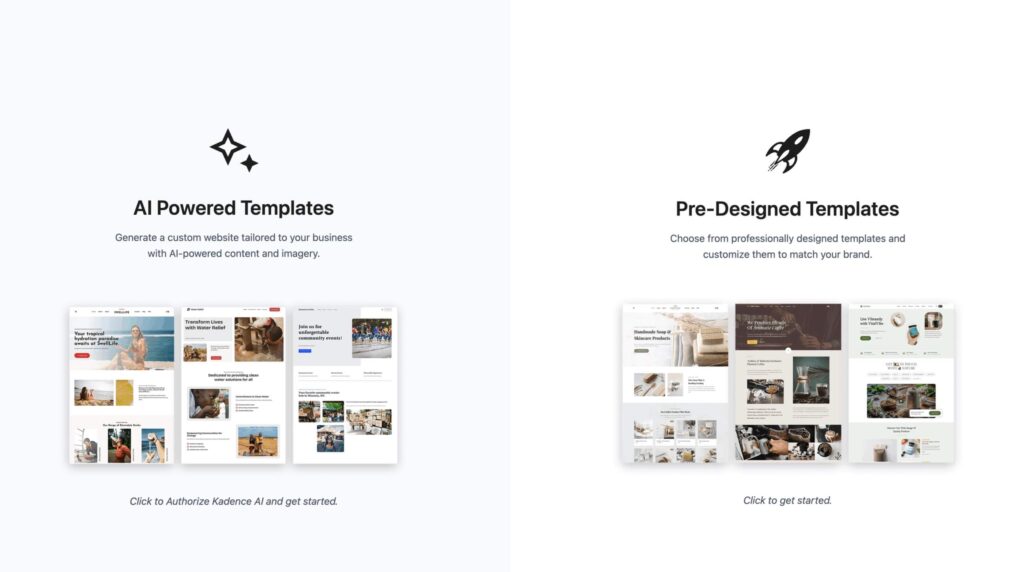
Credit: www.kadencewp.com
Maximizing The Impact Of Your WordPress Template
Choosing a pre-designed WordPress template is the first step to building a stunning website. To make the most of your template, customization and alignment with your brand and content are essential. Proper maintenance keeps your site running smoothly and looking fresh. These actions help create a professional and engaging online presence that appeals to visitors.
Tips For Customizing Templates To Match Your Brand
- Use brand colors consistently throughout the template.
- Replace default images with your own high-quality photos or graphics.
- Adjust fonts to reflect your brand’s personality and improve readability.
- Modify layout elements to emphasize your key messages and offers.
- Add your logo in header and footer areas for brand recognition.
- Customize buttons and calls-to-action to match your style and boost engagement.
Using a tool like Nexter helps speed up customization. It offers over 90 blocks and templates, making changes easier and faster without coding.
Ensuring Compatibility With Your Content Strategy
Your WordPress template should support the type of content you publish. Check that the layout fits articles, portfolios, or products. A responsive design ensures content looks good on all devices.
- Choose templates that support your content formats such as blogs, galleries, or e-commerce.
- Verify the template’s SEO readiness to help your pages rank well on search engines.
- Test loading speed so visitors stay engaged and do not leave.
- Ensure easy navigation to let users find information fast.
Regularly update your content to match new template features or layouts. Nexter’s extensive template library allows quick adaptation to evolving content strategies.
Regular Updates And Maintenance Best Practices
- Keep your WordPress version up to date for security and performance.
- Update your template and plugins to fix bugs and add features.
- Backup your website regularly to avoid data loss.
- Monitor site speed and fix issues promptly to enhance user experience.
- Check for broken links and outdated content to maintain professionalism.
Using tools like Nexter ensures you have reliable updates and support. This keeps your site fresh and secure without extra hassle.
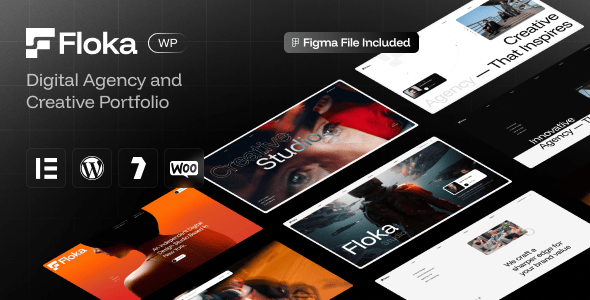
Credit: themeforest.net
Frequently Asked Questions
What Are Pre-designed WordPress Templates?
Pre-designed WordPress templates are ready-made website layouts. They save time and effort in building websites from scratch. These templates include design, structure, and essential features for various niches. Users can customize them to match their brand and content easily.
How Do Pre-designed Templates Improve Website Creation?
Pre-designed templates simplify website creation by providing a structured design. They reduce the need for coding knowledge. Users can launch professional sites faster and with less cost. Templates ensure responsive and user-friendly designs across devices.
Are Pre-designed WordPress Templates Seo Friendly?
Yes, most pre-designed WordPress templates are built with SEO best practices. They offer clean code, fast loading times, and mobile responsiveness. These factors help improve search engine rankings. Users can also optimize content easily within these templates.
Can I Customize Pre-designed WordPress Templates?
Absolutely. Pre-designed WordPress templates are highly customizable. You can change colors, fonts, layouts, and images without coding. Many templates support drag-and-drop editors for easy modifications. This flexibility helps create unique websites that fit your brand.
Conclusion
Pre-designed WordPress templates save time and effort in website building. They offer ready-made designs that suit many needs. Using these templates helps create professional sites quickly. You can customize them without deep coding skills. For a fast and easy website launch, try Nexter. It includes over 90 blocks, templates, and tools in one package. This toolkit makes building WordPress sites simple and efficient. Explore Nexter to start your project with confidence.





