Are you ready to transform your WordPress site without spending hours on design and coding? Understanding WordPress blocks and templates can be your secret weapon to building stunning pages quickly and effortlessly.
Imagine having access to a powerful toolkit that offers over 90 blocks, templates, and extensions designed to make your website look professional in no time. That’s exactly what Nexter brings to the table. With Nexter, you can launch beautiful WordPress sites faster than ever before—no advanced skills needed. If you want to save time and create a site that truly stands out, you’ll want to explore how Nexter can change the way you build. Check it out here: Nexter. Keep reading to discover how WordPress blocks and templates can make your website dreams a reality.

Credit: wpengine.com
Introduction To WordPress Blocks And Templates
WordPress blocks and templates form the foundation of modern website design. They simplify building pages and control how content appears. Blocks offer flexibility, while templates ensure consistent layouts. Together, they help create attractive, functional websites quickly and easily.
Understanding WordPress Blocks: Building Blocks Of Modern Site Design
WordPress blocks are individual content elements. Each block serves a specific purpose, such as adding text, images, buttons, or videos. Users can drag and drop blocks to design pages without coding.
Blocks offer these benefits:
- Easy customization: Change content and style effortlessly.
- Reusable: Save blocks for use on multiple pages.
- Visual editing: See changes live as you build.
With tools like Nexter, users get access to over 90 blocks, speeding up site creation.
What Are WordPress Templates And Their Role In Website Layouts
WordPress templates control the overall layout of a page or site. They define where blocks appear and how sections are organized. Templates ensure a consistent look across multiple pages.
Templates handle:
- Header and footer placement
- Sidebar and content areas
- Page structure and design rules
Using templates saves time and maintains design uniformity. Nexter offers a wide range of ready-made templates for different site types.
How Blocks And Templates Work Together To Streamline Design
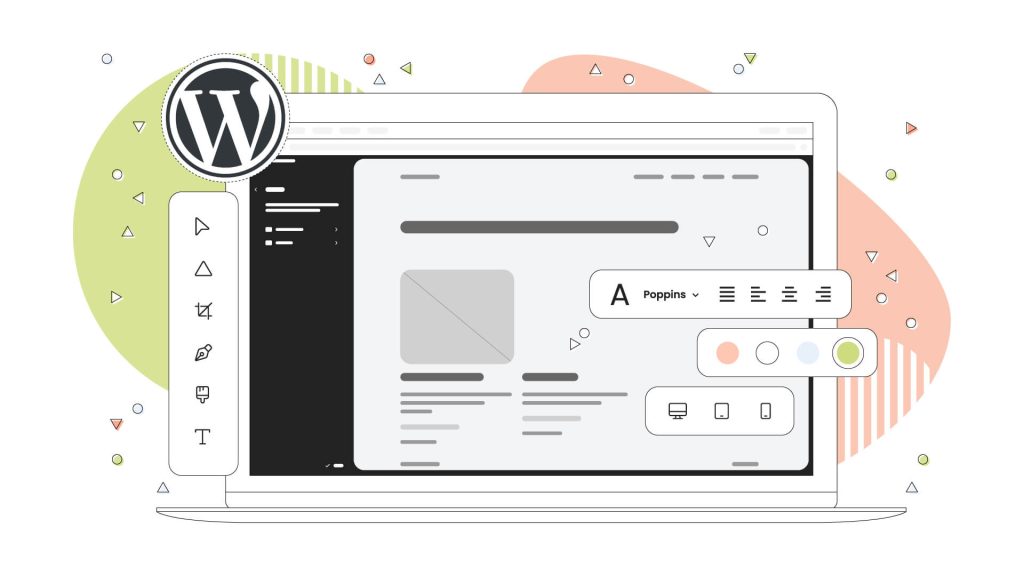
Blocks and templates complement each other perfectly. Templates set the framework, and blocks fill in the content. This combination allows quick creation of professional pages.
| Templates | Blocks | Result |
|---|---|---|
| Define page layout | Insert content pieces | Consistent and flexible design |
| Control site-wide style | Customize specific elements | Unique yet unified look |
| Apply design rules | Enable easy edits | Fast and efficient site building |
The combination reduces manual work and errors. Nexter integrates blocks and templates, making it easy to launch stunning WordPress sites fast.
Credit: www.hostpapa.com
Key Features Of WordPress Blocks
WordPress blocks simplify content creation by breaking pages into smaller, manageable parts. Each block serves a distinct function, such as text, images, or buttons. This modular design allows users to build complex layouts without coding.
Blocks help maintain design consistency, speed up page building, and offer flexibility. WordPress blocks transform website editing into an intuitive experience for all skill levels.
Reusable Blocks: Saving Time And Maintaining Consistency
Reusable blocks let users save a block or group of blocks for later use. This feature is ideal for content that appears repeatedly, like call-to-action buttons or disclaimers.
- Save effort: Create once, use many times.
- Ensure uniformity: Identical style and content across pages.
- Easy updates: Edit the reusable block once, and all instances update automatically.
Block Patterns: Pre-designed Layouts For Faster Page Creation
Block patterns are ready-made block combinations. They offer quick page sections like headers, galleries, or contact forms.
- Speed: Insert complex layouts instantly.
- Simplicity: No need to build sections from scratch.
- Variety: Choose from many styles to fit the website theme.
Customizable Blocks: Tailoring Content To Match Brand Identity
Customizable blocks allow changes to colors, fonts, and layouts. This helps match the website to the brand’s look and feel.
- Personalize: Adjust block settings to fit brand colors and style.
- Unique design: Create a distinct appearance without coding.
- Flexible options: Modify text, images, spacing, and more.
Dynamic Content Blocks: Enhancing Interactivity And User Engagement
Dynamic content blocks display changing information. They bring websites to life by showing real-time updates or personalized data.
- Interactive: Include features like countdown timers, recent posts, or user comments.
- Engaging: Visitors see fresh content each visit.
- Automated: Content updates without manual edits.
Exploring WordPress Templates And Their Benefits
WordPress templates shape the look and feel of your website. They control how content appears to visitors. Using templates saves time and keeps design consistent across pages.
Templates let you focus on content while ensuring a polished, professional design. They improve user experience and site management. With WordPress evolving, templates now offer more flexibility and control than ever.
Full Site Editing Templates: Empowering Complete Design Control
Full Site Editing (FSE) templates allow you to design every part of your website. From headers to footers, you can customize the entire layout without coding.
FSE templates use blocks to build pages visually. This means you can:
- Change site structure quickly
- Create unique designs for different pages
- Preview changes instantly
With FSE, your website looks exactly how you want. It offers total control and saves time in the design process.
Template Parts: Modular Design For Efficient Site Management
Template parts break your site into reusable pieces like headers, footers, or sidebars. Manage each part separately for easier updates.
- Update the header once, and it changes everywhere
- Keep design consistent across the site
- Save time by reusing parts on multiple pages
This modular approach simplifies maintenance. It keeps your site organized and easy to manage.
Template Hierarchy: Organizing Templates For Optimal Performance
Template hierarchy is WordPress’s way of choosing which template to use. It follows a clear order from general to specific templates.
| Template Level | Description |
|---|---|
| index.php | Default fallback template |
| single.php | Template for single posts |
| page.php | Template for individual pages |
| archive.php | Template for archive pages |
| category.php | Template for category archives |
This system helps WordPress load the right template fast. It optimizes site speed and user experience.
Third-party Template Kits: Accessing Professional Designs With Ease
Third-party template kits offer ready-made designs created by professionals. They include multiple templates and blocks for various site types.
- Save design time with prebuilt layouts
- Choose from many styles and themes
- Customize easily to fit your brand
Template kits help beginners launch stunning websites quickly. They reduce the need for design skills or hiring experts.
Pricing And Affordability Of WordPress Blocks And Templates
Choosing the right WordPress blocks and templates depends on budget and needs. Pricing varies from free options to premium packages with more features. Understanding costs helps small businesses and bloggers make smart decisions. Affordability plays a key role in building a professional website without overspending.
Free Vs Premium Blocks And Templates: What You Get At Each Level
Free blocks and templates provide basic design and functionality. They are perfect for simple sites and beginners. Premium options include advanced features, more customization, and unique designs.
- Free Blocks and Templates: Limited styles, basic support, fewer updates.
- Premium Blocks and Templates: Extensive design choices, priority support, regular updates, and extra tools.
Nexter offers over 90 blocks, templates, and extensions, mostly in premium plans. Free versions may lack these advanced options.
Cost-effective Strategies For Small Businesses And Bloggers
Small businesses and bloggers need affordable solutions that still look professional. Focus on:
- Using free blocks for essential site parts.
- Purchasing premium templates selectively for key pages.
- Taking advantage of bundle deals like Nexter’s all-in-one toolkit.
- Choosing flexible templates that adapt to future changes.
This approach saves money while maintaining quality and growth potential.
Subscription Plans And One-time Purchases: Understanding Your Options
| Payment Model | Pros | Cons | Example |
|---|---|---|---|
| Subscription Plans |
|
| Nexter monthly/yearly plans |
| One-Time Purchases |
|
| Some template marketplaces |
Evaluating The Value: Balancing Features With Budget Constraints
Focus on features that improve user experience and site speed. Prioritize:
- Responsive design blocks
- Easy customization options
- SEO-friendly templates
Balance costs by comparing what free and premium blocks offer. Nexter’s toolkit provides extensive blocks and templates at a competitive price. Choose plans that fit your site goals and budget.
Pros And Cons Of Using WordPress Blocks And Templates
WordPress blocks and templates offer a modern way to build websites quickly and easily. They bring both benefits and drawbacks. Understanding these points helps users make smart choices for their sites. Below is a clear look at the main advantages, limitations, performance effects, and support aspects.
Advantages: Enhanced Flexibility, Speed, And User-friendly Design
- Enhanced Flexibility: Blocks allow mixing text, images, and media without coding. Templates provide ready-made layouts that are easy to customize.
- Speed: Using pre-built blocks and templates speeds up site creation drastically.
- User-Friendly Design: Drag-and-drop blocks make editing simple for beginners and experts.
- Consistency: Templates ensure a uniform look across pages, improving user experience.
- Wide Variety: Tools like Nexter offer 90+ blocks and templates to fit many site types.
Limitations: Potential Compatibility Issues And Learning Curves
- Compatibility Issues: Some blocks or templates may conflict with existing themes or plugins.
- Learning Curve: New users might need time to understand block settings and template adjustments.
- Customization Limits: Templates can restrict unique design ideas without extra coding.
- Dependence on Plugins: Using third-party block packs like Nexter means relying on external updates.
Performance Considerations: Impact On Site Speed And Seo
Blocks and templates influence site speed and SEO in various ways.
| Factor | Effect |
|---|---|
| Code Bloat | Using many blocks can add extra code, slowing down the site. |
| Optimized Templates | Well-designed templates like those from Nexter help maintain fast loading times. |
| SEO | Clean block structure improves search engine readability and ranking. |
Balancing block use and template choice is key to good performance.
Support And Updates: Assessing Reliability Over Time
- Regular Updates: Reliable block and template providers release frequent updates for compatibility and security.
- Community Support: Popular tools like Nexter have active user communities and documentation.
- Long-Term Reliability: Continuous support ensures blocks and templates work with new WordPress versions.
- Backup Plans: Always keep backups before major updates to avoid data loss.

Credit: wpastra.com
Recommendations: Who Should Use WordPress Blocks And Templates
WordPress blocks and templates simplify website creation. They suit users who want fast, easy, and flexible design options. These tools help build beautiful sites without deep coding skills. Knowing who benefits most can guide the choice between blocks, templates, or custom development.
Ideal Users: Bloggers, Small Business Owners, And Designers
Bloggers appreciate blocks for quick content layout changes and engaging posts. Blocks make adding images, quotes, and videos simple.
Small business owners save time using templates to build professional websites without hiring developers. Templates ensure a polished, consistent look.
Designers use blocks and templates to prototype ideas fast. They customize layouts while maintaining brand style with reusable components.
Best Use Cases: Rapid Prototyping, Consistent Branding, And Scalable Sites
- Rapid Prototyping: Quickly test design concepts using pre-built blocks and templates.
- Consistent Branding: Templates ensure uniform colors, fonts, and styles across all pages.
- Scalable Sites: Blocks let you add or change content easily as the site grows.
When To Opt For Custom Development Instead
Custom development suits complex projects needing unique features. Use it if:
- Specific functionality cannot be built with blocks or templates.
- Design requires full control beyond template limits.
- Performance optimization is critical for large-scale sites.
Tips For Maximizing Benefits Based On User Experience Level
| User Level | Tips |
|---|---|
| Beginners |
|
| Intermediate |
|
| Advanced |
|
Conclusion: Maximizing Site Design With WordPress Blocks And Templates
WordPress blocks and templates provide a powerful way to build websites quickly and effectively. They simplify design tasks and help create professional pages without coding. Using these tools lets anyone customize site layouts with ease and precision.
Blocks act like building bricks, each serving a specific function like text, images, or buttons. Templates offer ready-made page structures, saving time and ensuring consistency. Together, they allow for flexible, fast site design.
Recap Of Key Benefits And Features
- Ease of Use: Drag-and-drop blocks make editing simple for all skill levels.
- Time Efficiency: Ready templates speed up the building process.
- Customization: Blocks and templates can be tailored to fit any brand or style.
- Consistency: Templates keep design uniform across all pages.
- Responsive Design: Blocks adapt to mobile and desktop views automatically.
- Extensibility: Tools like Nexter offer 90+ blocks, templates, and extensions for varied needs.
Future Trends In WordPress Design Tools
WordPress design tools continue to evolve rapidly. Key trends include:
- More Block Variety: Increased options to create unique layouts.
- Advanced Template Libraries: Larger collections with niche-specific designs.
- Integration with AI: Smarter suggestions and automated design adjustments.
- Improved User Experience: Smoother interfaces and real-time editing previews.
- Enhanced Performance: Faster page loads with optimized block code.
Actionable Steps To Get Started With Blocks And Templates Today
- Choose a reliable WordPress toolkit like Nexter with many blocks and templates.
- Install the toolkit and explore available blocks and templates.
- Start by selecting a template that matches your site’s purpose.
- Customize blocks within the template to add your content and style.
- Preview your site on different devices to ensure responsiveness.
- Publish your site and update blocks or templates as needed for fresh content.
Using blocks and templates makes site design accessible, fast, and professional. Tools such as Nexter provide an all-in-one solution with over 90 blocks and templates, helping build stunning WordPress sites quickly.
Frequently Asked Questions
What Are WordPress Blocks And How Do They Work?
WordPress blocks are content elements used in the Gutenberg editor. They allow easy drag-and-drop customization. Each block represents text, images, videos, or widgets. Blocks help create visually appealing pages without coding knowledge. They enhance website design flexibility and speed up content creation.
How Do WordPress Templates Improve Website Design?
WordPress templates define page layout and style. They provide consistent design across multiple pages. Templates save time by reusing layouts for posts or pages. Users can customize templates to match branding. They ensure a professional look and improve user experience.
Can I Create Custom WordPress Blocks And Templates?
Yes, you can create custom blocks and templates. Developers use code or plugins to build tailored blocks. Custom templates help achieve unique website designs. This flexibility allows brands to stand out. It also enhances website functionality and user engagement.
Are WordPress Blocks Mobile-friendly By Default?
Most WordPress blocks are mobile-responsive. They automatically adjust to different screen sizes. This ensures content looks good on phones and tablets. Mobile-friendly blocks improve SEO and user experience. Users can preview responsiveness in the editor before publishing.
Conclusion
WordPress blocks and templates simplify site building. They save time and make design easier. Using ready-made blocks helps create pages quickly. Templates guide your layout without needing coding skills. For faster results, consider tools like Nexter. Nexter offers over 90 blocks and templates to build stunning sites fast. This toolkit fits well for beginners and pros alike. Start creating your WordPress site with ease today.