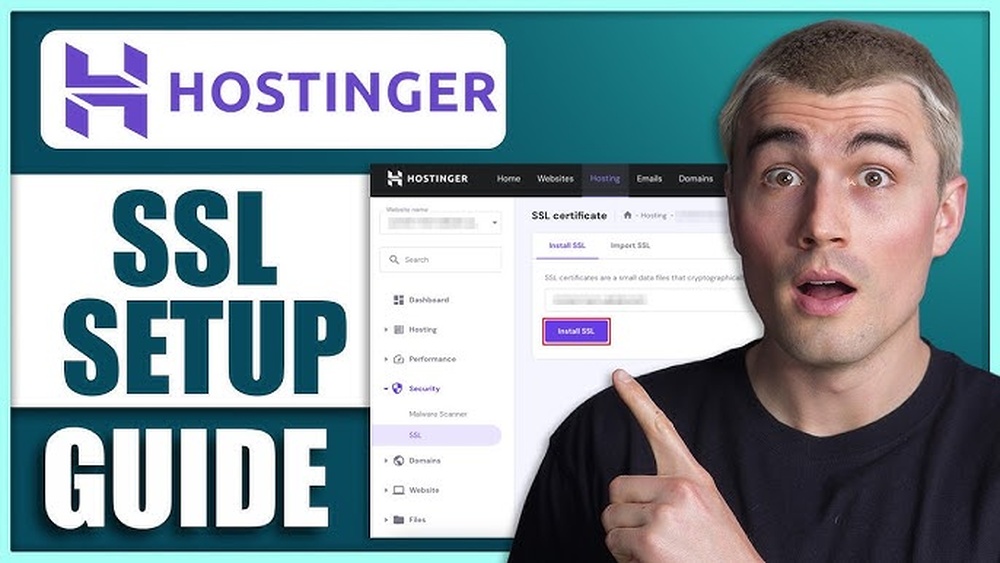
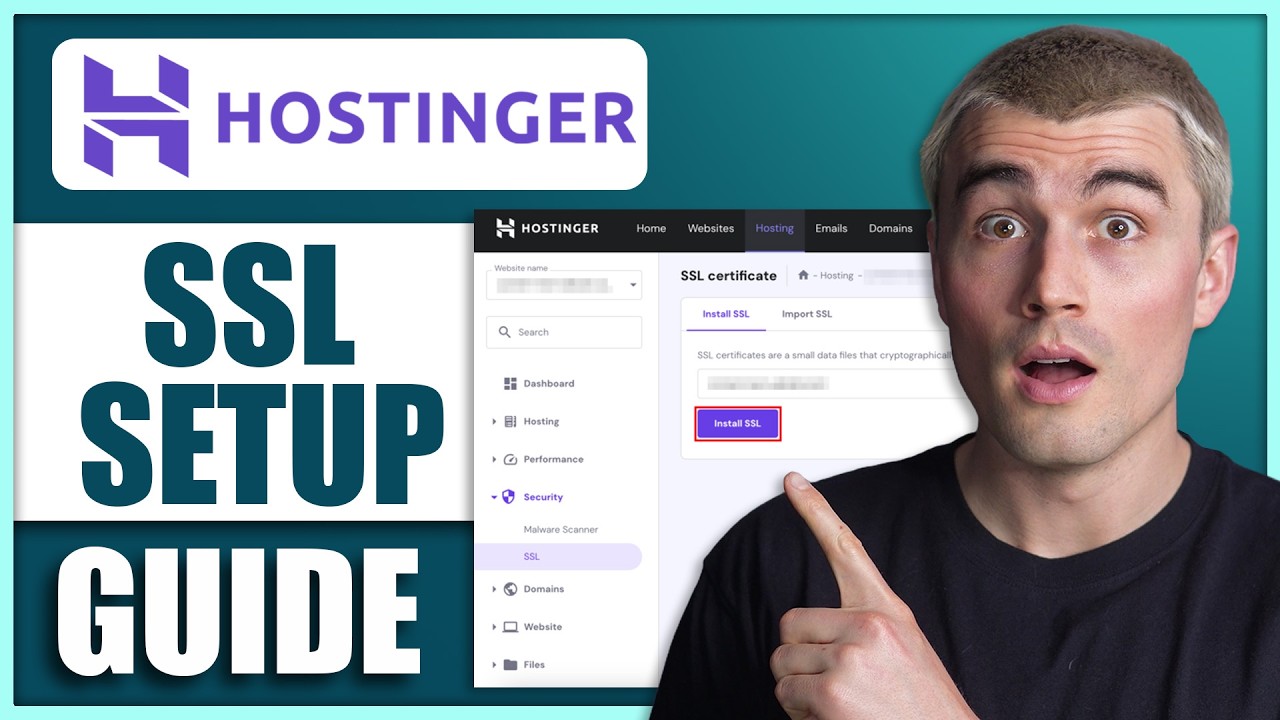
If you want your website to be secure and trusted by visitors, installing an SSL certificate is a must. But if you’re using Hostinger for your hosting needs, you might wonder how to get it done quickly and correctly.
This guide is made just for you. You’ll learn how to install an SSL certificate on Hostinger step-by-step, with simple instructions that anyone can follow. Whether you’re protecting your site’s data or boosting your SEO, this guide will help you take control of your website’s security today. Ready to make your site safer and more professional? Let’s dive in! Get started with Hostinger and secure your website now: Hostinger Hosting
Credit: www.youtube.com
Introduction To Hostinger Ssl Certificate Installation
Installing an SSL certificate on your Hostinger website is essential for security and trust. SSL certificates encrypt data exchanged between your visitors and your site. This guide helps you understand SSL basics and how Hostinger supports SSL installation.
Protecting your website builds visitor confidence and improves search engine ranking. Hostinger offers easy SSL options suited for all users. This section explains what SSL is, Hostinger’s SSL choices, and the key benefits of SSL for your site.
What Is An Ssl Certificate And Why It Matters
SSL (Secure Sockets Layer) certificates secure the connection between a web server and a browser. They encrypt sensitive data like passwords and credit card details.
Without SSL, data can be intercepted or stolen by attackers. Websites with SSL use https:// instead of http://, showing a padlock icon in the browser address bar.
- Protects user data from hackers
- Builds trust with visitors
- Improves SEO by ranking higher on Google
- Complies with regulations like GDPR
Overview Of Hostinger’s Ssl Options
Hostinger provides several SSL certificate types to fit different needs:
| SSL Type | Description | Best For |
|---|---|---|
| Free SSL | Basic encryption with automatic installation | Small websites, blogs, personal sites |
| Premium SSL | Advanced encryption and warranty | E-commerce, business websites |
| Wildcard SSL | Covers main domain and all subdomains | Sites with multiple subdomains |
Hostinger’s SSL certificates are easy to activate from the control panel. Most plans include free SSL certificates with automatic renewal.
Benefits Of Installing Ssl On Your Hostinger Website
Adding SSL to your Hostinger website offers several important advantages:
- Data security: Encrypts user information to prevent theft.
- Visitor trust: Shows a secure padlock symbol that builds confidence.
- SEO boost: Google favors websites with SSL in search rankings.
- Compliance: Meets legal requirements for data protection.
- Easy setup: Hostinger’s panel simplifies installation with step-by-step instructions.
SSL is a must-have for any serious website owner. Hostinger makes it simple to secure your site and protect your visitors.
Step-by-step Guide To Installing Ssl On Hostinger
Securing your website with an SSL certificate is essential for protecting data and building trust. Hostinger offers easy options to install SSL certificates. This guide walks you through the entire process, whether you want a free SSL or a custom paid certificate.
Preparing Your Domain And Hosting Account For Ssl
Before installing SSL, ensure your domain and hosting account are ready. Follow these steps:
- Verify domain ownership: Your domain must be active and pointing to Hostinger’s servers.
- Check hosting plan: Confirm your hosting plan supports SSL installation.
- Update DNS settings: Make sure DNS records are correctly set for your domain.
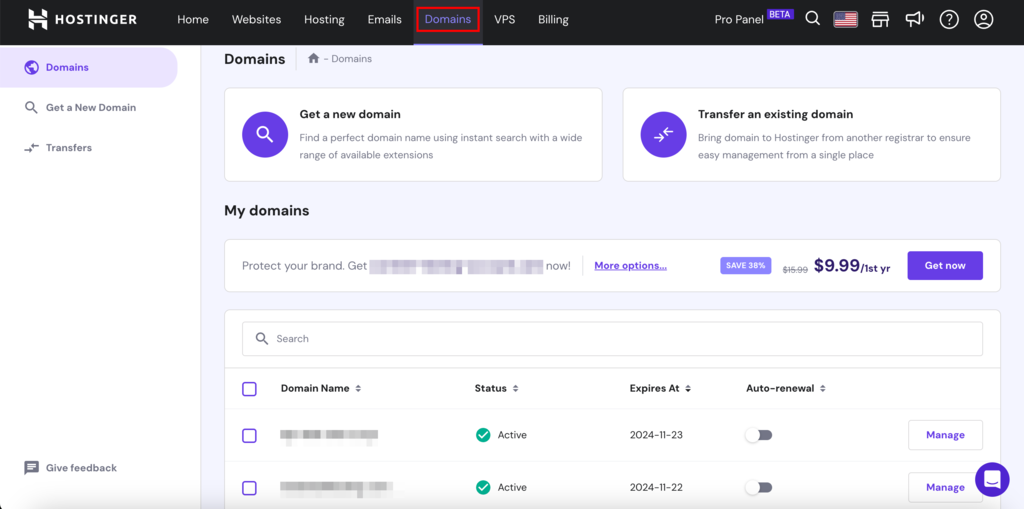
- Access Hostinger control panel: Log into your Hostinger account to manage SSL.
Activating A Free Ssl Certificate Via Hostinger Control Panel
Hostinger provides free SSL certificates through the control panel. Activate it by following these steps:
- Log in to your Hostinger control panel.
- Go to the SSL section under your hosting dashboard.
- Select your domain from the list.
- Click Activate Free SSL button.
- Wait a few minutes for the certificate to be issued and installed automatically.
The free SSL covers your domain and subdomains with basic encryption.
Installing A Custom Or Paid Ssl Certificate
To use a paid or custom SSL certificate, follow these instructions:
- Purchase your SSL certificate from a trusted provider.
- Obtain the following files from your SSL provider:
- Certificate file (.crt)
- Private key file (.key)
- CA bundle or intermediate certificates
- Log into Hostinger control panel and open the SSL section.
- Select your domain and choose Install Custom SSL.
- Copy and paste the contents of your certificate, private key, and CA bundle into the respective fields.
- Click Install SSL to complete the process.
Verifying Ssl Installation And Troubleshooting Common Issues
Check if your SSL certificate is active and working properly:
- Visit your website using https:// and look for the padlock icon in the browser address bar.
- Use online tools like
https://www.ssllabs.com/ssltest/to analyze your SSL setup.
Common issues and fixes:
| Issue | Cause | Solution |
|---|---|---|
| SSL Not Secure Warning | Mixed content (HTTP elements on HTTPS page) | Update all URLs to use HTTPS in your website content. |
| Certificate Expired | SSL certificate validity ended | Renew or reinstall the SSL certificate. |
| Incorrect Certificate | Certificate does not match domain | Install the correct SSL certificate for your domain. |
Recheck your SSL status after applying fixes to ensure full protection.
Key Features Of Hostinger’s Ssl Services
Hostinger’s SSL services offer essential security features that protect websites and improve trust. These SSL certificates encrypt data, ensuring safe communication between visitors and servers. The service is designed to be easy to use and fit various hosting needs, from simple websites to complex setups.
The following sections highlight the main features that make Hostinger’s SSL offerings reliable and user-friendly.
Automatic Ssl Renewal For Hassle-free Security
Hostinger automatically renews SSL certificates before they expire. This feature prevents security lapses and avoids manual renewal tasks. Users do not need to track expiration dates or worry about downtime caused by expired certificates.
The automatic process ensures continuous protection without extra effort.
Compatibility With Hostinger Website Builder And Vps Hosting
Hostinger SSL certificates work smoothly with both the Hostinger Website Builder and VPS hosting plans. This compatibility allows users to secure websites regardless of the platform or hosting type they use.
- Secure custom-built websites using the Website Builder
- Protect multiple domains hosted on VPS
- Maintain consistent SSL protection across all hosting options
Wildcard Ssl And Multi-domain Support
Hostinger offers Wildcard SSL certificates that secure a main domain and all its subdomains. This is ideal for websites with multiple subdomains requiring encryption under one certificate.
Multi-domain SSL support allows protection of several different domains using a single certificate, simplifying management and reducing costs.
| Feature | Benefit |
|---|---|
| Wildcard SSL | Secures unlimited subdomains under one domain |
| Multi-Domain SSL | Protects multiple different domains with one certificate |
User-friendly Control Panel Interface For Ssl Management
Hostinger’s SSL management is done through a simple control panel. The interface guides users through installation, activation, and renewal steps with clear instructions.
This design helps users of all skill levels manage SSL certificates without confusion or errors.
- Easy SSL installation with copy-paste certificate fields
- One-click activation and renewal
- Real-time status updates and notifications
Pricing And Affordability Of Hostinger Ssl Certificates
Hostinger offers a range of SSL certificate options to fit different budgets. Understanding the pricing structure helps you choose the best SSL for your website’s security needs. Options include both free and paid SSL certificates, each with unique benefits. This section breaks down costs and value for each type.
Comparison Of Free Vs Paid Ssl Certificates On Hostinger
Hostinger provides free SSL certificates for many hosting plans. These certificates offer basic encryption suitable for most small websites and blogs. Paid SSL certificates add extra features and higher validation levels.
- Free SSL Certificates: Easy to install, basic protection, no additional cost.
- Paid SSL Certificates: Extended validation, warranty, and support included.
Free SSLs are ideal for startups and personal sites. Paid SSLs fit business sites needing trust signals and advanced security.
Cost Breakdown For Different Ssl Certificate Types
| SSL Certificate Type | Price Range (per year) | Key Features |
|---|---|---|
| Free SSL | $0 | Basic encryption, auto-renewal, easy setup |
| Single Domain SSL | $10 – $15 | Domain validation, warranty, site seal |
| Wildcard SSL | $30 – $50 | Secures main domain + subdomains, higher warranty |
| Premium SSL (EV/OV) | $70 – $100+ | Extended validation, business verification, trust badge |
Value For Money: What You Get At Each Price Point
Each SSL certificate tier offers different levels of security and trust.
- Free SSL: Good for personal and small websites. Provides essential HTTPS encryption. No cost but limited validation.
- Single Domain SSL: Affordable for small businesses. Adds warranty and basic customer support. Shows padlock icon in browsers.
- Wildcard SSL: Best for sites with multiple subdomains. Saves money by covering all subdomains under one certificate.
- Premium SSL: Perfect for eCommerce and corporate sites. Includes business identity verification and trust badges. Builds customer confidence.
Choosing the right SSL depends on your website size and security needs. Hostinger’s pricing is competitive and transparent, making SSL certificates accessible for all users.
Pros And Cons Of Using Hostinger Ssl Certificates
Choosing an SSL certificate from Hostinger adds security to your website. It encrypts data and builds trust with visitors. Still, there are pros and cons to consider before installing one.
Advantages Based On Real-world User Experiences
- Easy Installation: Many users report that Hostinger’s SSL setup is simple and quick.
- Free SSL Options: Hostinger offers free SSL certificates for many plans, saving costs.
- Improved Website Security: SSL certificates from Hostinger protect sensitive data effectively.
- Boosts SEO Ranking: Sites with SSL receive a slight ranking advantage on Google.
- Automatic Renewal: Some users appreciate automatic SSL renewals, avoiding downtime.
- Support Availability: Hostinger’s customer support helps resolve SSL-related issues fast.
| Feature | User Experience |
|---|---|
| Installation Speed | Completed within minutes |
| Cost | Free and paid options available |
| Security | Strong encryption and data safety |
| Support | Responsive and helpful team |
Potential Limitations And How To Overcome Them
Compatibility Issues: Some users find SSL does not work with all third-party plugins or themes. Testing your site after installation helps spot problems early.
Manual Installation for Custom SSL: Installing custom SSL certificates requires copying and pasting code snippets. Follow Hostinger’s step-by-step guides closely to avoid errors.
Renewal Confusion: Free SSL certificates may expire after a year. Set reminders to renew or switch to automatic renewal plans.
- Test your website functionality post-installation.
- Use Hostinger tutorials for custom SSL setup.
- Schedule SSL renewals in advance to prevent expiry.
- Contact Hostinger support for troubleshooting help.
Credit: www.hostinger.com
Who Should Use Hostinger Ssl Certificates?
Hostinger SSL certificates provide website security by encrypting data between users and servers. They suit many users who want to protect sensitive information. These certificates also boost trust and improve search rankings. Understanding who benefits most helps in choosing the right SSL for your site.
Ideal Scenarios And Website Types For Hostinger Ssl
Hostinger SSL certificates fit well with websites that:
- Handle user login and registration
- Process online payments or sensitive data
- Run blogs or portfolios needing basic protection
- Use shared or VPS hosting plans from Hostinger
Common website types include:
| Website Type | Security Needs | Benefit from Hostinger SSL |
|---|---|---|
| Personal blogs | Basic data encryption | Free SSL included, easy to install |
| Small business sites | Protect customer info | Improves trust and SEO |
| Online stores | Secure payment processing | Ensures safe transactions |
| Portfolio websites | Basic visitor data security | Simple SSL setup with Hostinger |
Recommendations For Small Businesses And Personal Websites
Small businesses and personal sites gain strong security from Hostinger’s free SSL certificates. They:
- Encrypt visitor data to prevent theft
- Display HTTPS and padlock icon for trust
- Boost search engine rankings slightly
- Are easy to install via Hostinger dashboard
For startups and bloggers, this SSL offers a simple, no-cost way to secure websites.
When To Consider Upgrading To Paid Or Wildcard Ssl
Upgrade SSL certificates if your site requires:
- Multiple subdomains protection (use Wildcard SSL)
- Extended validation for business identity
- Higher warranty and stronger encryption
- Compliance with strict industry standards
Paid SSL certificates deliver:
- Better brand recognition with company name display
- Support for e-commerce with increased security
- Flexibility to cover all subdomains
Hostinger offers easy upgrades to these certificates for growing websites.
Conclusion: Securing Your Site With Hostinger Ssl
Securing your website is vital for building trust and protecting data. Hostinger’s SSL certificate adds a strong layer of security. It encrypts information between your site and visitors.
Installing SSL on Hostinger is simple and quick. This guide shows the benefits and how easy it is to set up. Keeping your SSL active ensures continuous protection.
Summary Of Benefits And Installation Ease
- Enhanced Security: SSL encrypts data, preventing hackers from stealing information.
- Improved SEO Ranking: Google favors secure websites, boosting your search visibility.
- Trust and Credibility: Visitors see the padlock icon, which increases confidence.
- Simple Setup: Hostinger offers a user-friendly interface for SSL installation.
- Free SSL Options: Many plans include free SSL certificates, reducing extra costs.
| Step | Description |
|---|---|
| 1 | Access Hostinger control panel |
| 2 | Navigate to SSL section |
| 3 | Select your domain and click ‘Install SSL’ |
| 4 | Wait for confirmation of successful installation |
Final Tips For Maintaining Ssl Security On Hostinger
- Renew SSL Timely: Set reminders to renew before expiry.
- Monitor Site for Warnings: Check regularly for security alerts.
- Enable HTTPS Redirect: Force all traffic to use HTTPS for safety.
- Keep Hostinger Account Secure: Use strong passwords and 2FA.
- Update Website Software: Keep CMS and plugins updated to avoid vulnerabilities.
Following these tips keeps your SSL effective and your site safe. Hostinger’s SSL solution makes security accessible for all users.
Credit: www.hostinger.com
Frequently Asked Questions
What Is Ssl And Why Install It On Hostinger?
SSL encrypts data between your website and visitors. Installing it on Hostinger secures your site and boosts trust and SEO rankings.
How Do I Install Ssl Certificate On Hostinger?
Log into Hostinger, go to SSL section, choose your domain, upload or activate the SSL certificate, then click Install.
Can I Use Free Ssl Certificates With Hostinger?
Yes, Hostinger supports free SSL certificates like Let’s Encrypt, which can be installed easily via the control panel.
How Long Does Hostinger Ssl Installation Take?
SSL installation on Hostinger usually completes within minutes after activation, making your site secure quickly and efficiently.
Conclusion
Securing your website with an SSL certificate is simple and essential. Hostinger makes installation quick and easy. Follow the steps carefully to protect your visitors and boost trust. A secure site improves your search ranking and user experience. Start safeguarding your website today with Hostinger’s reliable hosting services. For more details and affordable plans, visit Hostinger.