Summarize this blog post with: ChatGPT | Perplexity | Claude | Grok
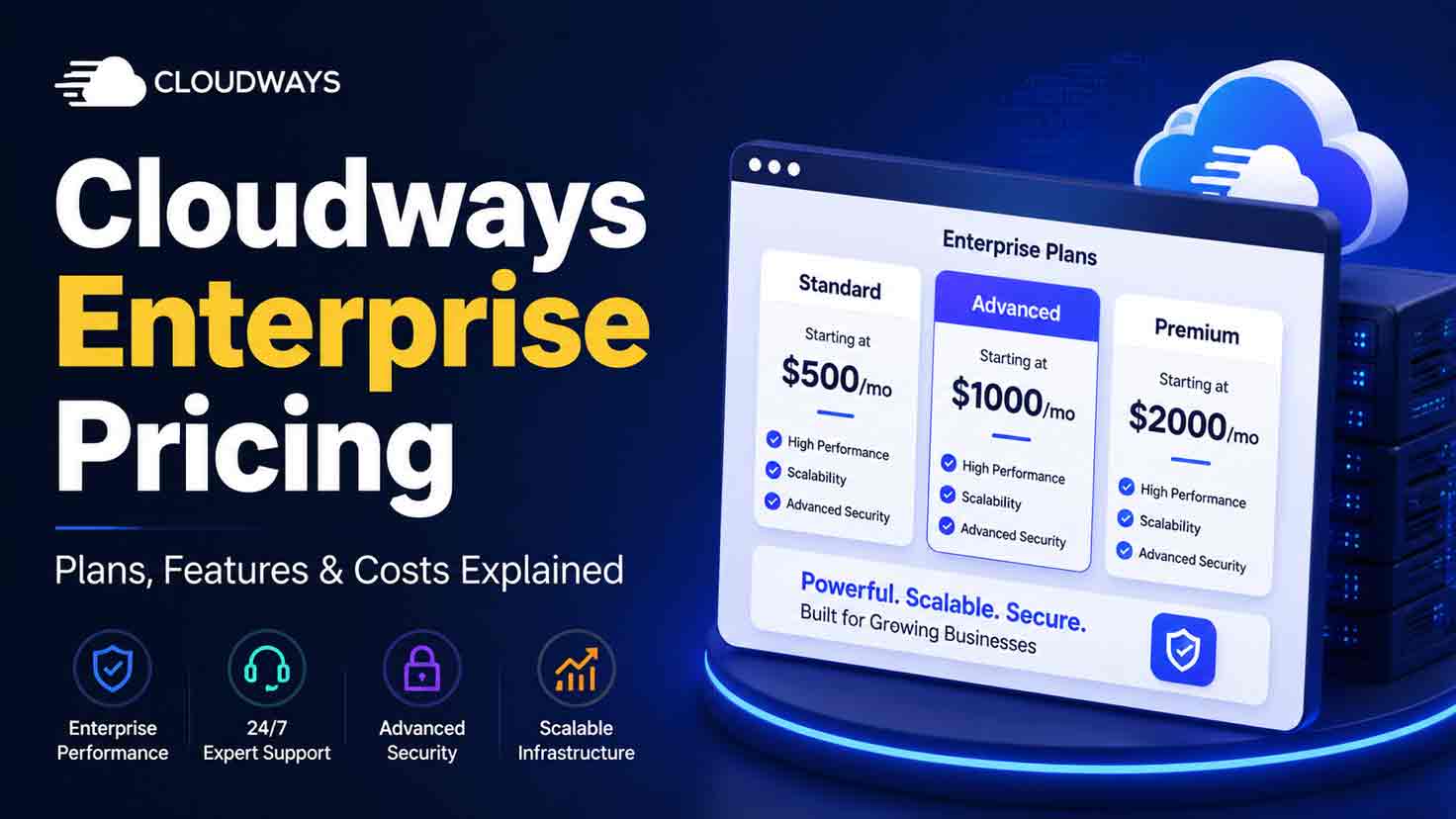
If you have already explored Cloudways for a high-traffic WordPress, WooCommerce, LMS, or mission-critical application, you have probably noticed one frustrating gap: Cloudways does not publish a fixed Enterprise monthly price. In this guide, I’ll explain how Cloudways Enterprise pricing works, what can shape your custom quote, what Enterprise includes, and how to decide whether paying for a custom plan makes financial and operational sense.
Key Takeaways
- Cloudways Enterprise pricing is custom pricing for organizations whose infrastructure requirements exceed the platform’s standard plans. Cloudways currently does not publish a fixed Enterprise monthly rate.
- Cloudways Growth, Scale, and Plus currently cost $99, $199, and $399 per month, respectively, providing useful reference points before the custom Enterprise tier.
- Enterprise configurations can use customized resource allocation and baseline capacity based on traffic and usage requirements.
- Total cost of ownership matters more than the quoted base price because support, scaling, migration effort, bandwidth, storage, and operational requirements may affect the real cost.
- Cloudways Enterprise hosting is different from the Cloudflare Enterprise CDN add-on, which Cloudways currently lists separately from $4.99 per domain per month.
- Cloudways uses a shared responsibility security model, so enterprise buyers should evaluate application security and compliance obligations separately from Cloudways’ platform responsibilities.
- The best Enterprise quote request starts with measured workload data, including baseline demand, traffic spikes, storage, bandwidth, availability targets, migration requirements, and expected growth.
What Is Cloudways Enterprise Pricing?
Cloudways Enterprise pricing is custom pricing for organizations whose infrastructure requirements exceed the platform’s standard plans. Cloudways currently describes Enterprise as the option for customers who need more than its standard Autonomous plans and directs qualified buyers to build a customized configuration rather than displaying a fixed monthly fee.
Cloudways says Enterprise configurations can include resources optimized around traffic and usage patterns, custom resource allocation and baseline capacity, and expert consultation to match the infrastructure to the workload. Its June 2026 Autonomous documentation further describes Enterprise plans as tailored solutions for high-traffic or mission-critical applications.
“Enterprise (Custom) Plans are built for high-traffic or mission-critical applications, with a cost-optimized solution tailored to your needs.”
— Syed Abuzar Mehdi, Cloudways Help Center author, Cloudways, 2026
The important implication is that Enterprise is not simply a more expensive version of Plus. Cloudways expects the architecture and commercial proposal to be built around the customer’s requirements.
For broader pricing context, see my Cloudways pricing guide.
[Insert image: Cloudways pricing page showing Growth, Scale, Plus, and Enterprise Custom tiers | Alt text: “Compare Cloudways Enterprise pricing with standard plans”]
Why Does Cloudways Enterprise Pricing Matter for High-Traffic Sites?
Cloudways Enterprise pricing matters because enterprise hosting decisions should be based on workload economics and business risk rather than the lowest advertised monthly fee. A mission-critical WooCommerce store, publisher, SaaS application, or LMS can incur far greater business costs from capacity shortages, poor peak-event planning, or insufficient operational support than from paying more for properly sized infrastructure.
For example, imagine an ecommerce business that normally runs comfortably during ordinary weekdays but experiences a tenfold increase in concurrent shoppers during Black Friday. The correct architecture must account for baseline demand and burst demand separately, rather than sizing permanent infrastructure entirely around either the quiet period or the peak.
A useful enterprise evaluation therefore considers:
- Baseline compute requirement
- Peak concurrency
- Traffic volatility
- Monthly bandwidth
- Storage growth
- Dynamic versus cacheable traffic
- Availability requirements
- Business cost of downtime
- Migration complexity
- Support escalation requirements
- Security and compliance responsibilities
- Expected growth over the contract period
Cloudways Autonomous currently uses autoscaling and positions Enterprise for tailored performance and scaling requirements. Cloudways also says its Autonomous architecture uses Kubernetes-based autoscaling and load balancing, although an Enterprise buyer should confirm the precise redundancy, failover, and availability architecture included in the negotiated proposal rather than assuming every configuration is identical.
[Insert image: Custom diagram comparing baseline capacity, temporary burst capacity, and sustained peak demand | Alt text: “Estimate Cloudways Enterprise pricing from workload capacity”]
How Much Does Cloudways Enterprise Cost in 2026?
Cloudways Enterprise does not have a publicly listed fixed monthly price as of August 10, 2026. Cloudways currently lists its Autonomous Growth plan at $99/month, Scale at $199/month, Plus at $399/month, and Enterprise as “Custom.”
Cloudways currently lists Growth at $99 per month, Scale at $199 per month, Plus at $399 per month, and Enterprise as a custom-priced plan. Those standard prices provide context, but they should not be used to predict an Enterprise quote.
| Cloudways Autonomous Tier | Published Monthly Price | Baseline Autoscale Servers | Bandwidth | Disk Space | Positioning |
|---|---|---|---|---|---|
| Growth | $99 | 1 | 150 GB | 20 GB | Growing traffic |
| Scale | $199 | 2 | 250 GB | 50 GB | Consistent traffic growth |
| Plus | $399 | 3 | 1,000 GB | 100 GB | Large-scale, critical traffic |
| Enterprise | Custom | Customized | Customized | Customized | Requirements beyond standard plans |
The current Growth, Scale, and Plus resource allowances above come directly from Cloudways’ pricing page. Cloudways describes Enterprise separately with optimized resources, custom allocation, baseline capacity, and consultation rather than publishing standard allowances.
Cloudways’ June 2026 billing documentation also states that Autonomous uses hourly, per-application billing for applicable customers, with Growth, Scale, and Plus autoscaling rates of $0.07, $0.10, and $0.12 per active container/server-hour beyond baseline, respectively. Do not automatically apply those standard-plan overage or autoscaling rates to Enterprise; negotiate and verify the Enterprise commercial terms separately.
“Cloudways Autonomous uses an hourly, per-application billing structure.”
— Syed Abuzar Mehdi, Cloudways Help Center author, Cloudways, 2026
This pricing structure makes workload telemetry valuable before requesting a quote. A buyer who can show actual baseline usage, peak events, and growth patterns gives Cloudways far better inputs than a buyer who only says, “We receive a lot of traffic.”
For additional plan-level context, see my Cloudways pricing plans comparison.
Check current Cloudways Enterprise options if your workload already exceeds the published tiers.
What Factors Determine a Cloudways Enterprise Quote?
A Cloudways Enterprise quote is primarily shaped by the infrastructure capacity and operational requirements needed to support your workload. Cloudways publicly confirms that Enterprise resources can be optimized around traffic and usage patterns with custom resource allocation and baseline capacity, while many other procurement variables must be confirmed during consultation.
Baseline capacity
Baseline capacity is the infrastructure required to support your normal sustained workload before temporary scaling is considered. A store needing substantial compute every hour has different economics from a store that remains relatively light most of the month but experiences several major campaign spikes.
A Cloudways Enterprise plan involves custom resource allocation and baseline capacity designed around the customer’s traffic and usage requirements.
Peak traffic and concurrency
Peak traffic determines how much additional capacity an application may need during sudden or scheduled demand. Cloudways says Autonomous applications can automatically scale when traffic surges, while Enterprise is intended for tailored performance and scaling requirements.
For example, monthly pageviews alone can hide the important part of an ecommerce workload. Two stores may each receive two million monthly visits, but a store receiving 30% of those visits during one weekend may require very different peak capacity.
Application type and dynamic workload
Application type matters because dynamic requests can require more backend processing than highly cacheable content. WooCommerce checkout, logged-in LMS sessions, membership dashboards, and SaaS workflows should therefore be discussed separately from ordinary cached page delivery.
Cloudways currently positions Enterprise for WordPress, WooCommerce, and LMS applications and identifies high-traffic ecommerce, SaaS, and media-type workloads as potential Enterprise use cases.
Bandwidth and storage
Bandwidth and storage requirements affect infrastructure economics because data transfer and disk consumption can generate usage-based costs. Cloudways’ current standard Autonomous plans list $1/GB for additional disk and $0.04/GB for bandwidth overages, but Enterprise customers should obtain their own contracted rates rather than assuming those figures apply to custom agreements.
Availability and redundancy
Availability requirements can materially change architecture because avoiding a single point of failure may require additional capacity or redundancy. Cloudways advertises Kubernetes-based autoscaling and load balancing for Autonomous, but an enterprise buyer should request architecture-level confirmation of high availability, failure domains, recovery objectives, and any contractual uptime commitments included in the proposed configuration.
Migration complexity
Migration complexity affects project cost even when managed migration services are included. A single WordPress site is very different from migrating a multi-store WooCommerce environment, hundreds of agency sites, custom integrations, large databases, scheduled jobs, or a strict zero-downtime cutover.
Cloudways currently lists free managed migration among Autonomous plan inclusions, but Enterprise buyers should confirm the exact number of migrations, staging requirements, DNS responsibilities, testing support, and cutover scope in writing.
A separate Cloudways free migration guide can help you prepare a migration checklist before requesting Enterprise onboarding.
What Is Included in the Cloudways Enterprise Plan?
Cloudways Enterprise currently combines customized infrastructure with several performance, security, migration, and operational features shown in the Autonomous pricing section. Cloudways lists Cloudflare Enterprise, SSL, malware protection, Object Cache Pro + Relay, managed migration, advanced staging and cloning, firewall/DDoS protection, offsite backups, and support among current inclusions.
The current Enterprise pricing area lists:
- Customized resources
- Customized baseline capacity
- Expert plan consultation
- Cloudflare Enterprise
- SSL
- Malware protection
- Object Cache Pro + Relay
- Managed migration
- Advanced staging and cloning
- Built-in firewall
- DDoS protection
- Offsite backups
- 24/7 chat, email, and ticketing support
Because Enterprise is negotiated, your signed quote and service agreement should be treated as authoritative. Cloudways can change product packaging, feature bundles, promotions, or commercial terms after this article’s August 10, 2026 verification date.
What does Cloudflare Enterprise contribute?
Cloudflare Enterprise integration adds an edge delivery and security layer to Cloudways Autonomous. Cloudways currently highlights Cloudflare edge caching/CDN capabilities plus WAF and DDoS protections as part of its Autonomous feature set.
[Insert image: Cloudways Autonomous features showing Cloudflare Enterprise, Object Cache Pro, Relay, WAF, and DDoS protection | Alt text: “Review Cloudways Enterprise pricing included features”]
See What the Cloudflare Edge Layer Actually Adds
Cloudflare’s edge layer does more than cache static files. This session explains how modern CDNs reduce latency, manage caching, absorb traffic spikes, and combine performance with DDoS and bot protection—useful context when evaluating the Cloudflare Enterprise capabilities included around a Cloudways Enterprise deployment.
Video: “How a CDN Makes You Local Everywhere” by Cloudways.
What does Object Cache Pro + Relay contribute?
Object Cache Pro and Relay are designed to reduce repeated backend data-access work for supported WordPress workloads. Cloudways currently lists Object Cache Pro + Relay as included in its Autonomous pricing area.
The practical procurement question is not simply whether caching is included. Ask how the proposed architecture handles logged-in traffic, cart sessions, checkout requests, cache invalidation, database load, and application-specific bottlenecks.
→ Explore Cloudways Enterprise Features
Cloudways Growth vs Scale vs Plus vs Enterprise: Which Plan Do You Need?
The right Cloudways tier depends on whether your workload fits within a standard capacity envelope or requires customized baseline resources and architecture. Growth, Scale, and Plus publish defined allowances, while Enterprise is specifically positioned for requirements beyond those standard plans.
| Requirement | Growth | Scale | Plus | Enterprise |
|---|---|---|---|---|
| Published monthly price | $99 | $199 | $399 | Custom |
| Baseline servers | 1 | 2 | 3 | Customized |
| Bandwidth | 150 GB | 250 GB | 1 TB | Customized |
| Disk | 20 GB | 50 GB | 100 GB | Customized |
| Traffic pattern | Growing | Consistently growing | Large/critical | Workload-specific |
| Custom resource allocation | No | No | No | Yes |
| Best decision trigger | Fits published resources | More sustained demand | Critical large workload | Standard plans no longer fit |
Cloudways itself describes Plus as appropriate for large-scale applications with critical traffic needs, while Enterprise appears immediately above that ceiling for customers needing customized resources.
A useful rule is:
- Choose Growth when the published allowance comfortably supports your baseline and expected scaling.
- Choose Scale when baseline demand and bandwidth consistently exceed Growth.
- Choose Plus when you have a large, business-critical workload that still fits within defined resources.
- Request Enterprise when capacity, availability, support, or operational requirements cannot be represented cleanly by the standard tiers.
Do not upgrade solely because the word Enterprise sounds safer. A properly sized Plus plan can be financially superior when its published capacity already meets your workload.
For a deeper architecture comparison, see Cloudways Flexible vs Autonomous.
[Insert image: Decision tree from Growth to Scale to Plus to Enterprise based on baseline capacity and customization requirements | Alt text: “Choose Cloudways Enterprise pricing tier by workload”]
What Is the Difference Between Cloudways Enterprise and Cloudflare Enterprise?
Cloudways Enterprise hosting and Cloudflare Enterprise on Cloudways are separate concepts. Cloudways Enterprise is a custom Autonomous hosting configuration, while Cloudflare Enterprise is an edge-performance and security service that Cloudways integrates into hosting and also lists separately as an add-on.
Cloudways Enterprise hosting is different from the Cloudflare Enterprise CDN add-on, which Cloudways currently lists separately from $4.99 per domain per month.
| Offering | What It Is | Pricing Approach |
|---|---|---|
| Cloudways Enterprise | Custom managed hosting configuration | Custom quote |
| Cloudflare Enterprise on Autonomous | Included edge/CDN/security technology shown with Autonomous plans | Included according to current Autonomous pricing |
| Cloudflare Enterprise CDN add-on | Separately purchasable Cloudways integration | Starts at $4.99/domain/month |
This terminology matters because someone searching for “Cloudways Enterprise pricing” may accidentally compare a hosting contract with a CDN add-on costing only a few dollars per domain.
→ Evaluate Cloudways Enterprise Fit
See the dedicated Cloudways Cloudflare Enterprise guide for a feature-level breakdown.
[Insert image: Cloudways page showing Enterprise Custom hosting and the separate $4.99/domain Cloudflare Enterprise add-on | Alt text: “Distinguish Cloudways Enterprise pricing from Cloudflare Enterprise”]
What Additional Costs Should You Consider With Cloudways Enterprise?
Cloudways Enterprise total cost can extend beyond the custom infrastructure quote if your organization requires premium support, additional engineering work, special migration scope, usage capacity, or other paid services. Enterprise procurement should therefore compare total cost of ownership rather than only the base quote.
Premium support
Support level can become a meaningful TCO component for mission-critical environments. Cloudways currently includes Standard Support by default and offers Advanced and Premium Support add-ons with faster ticket targets and broader support scope.
As verified August 10, 2026, Cloudways’ support page shows:
| Support Level | Current Pricing Information | High-Priority Ticket Target | Additional Channels |
|---|---|---|---|
| Standard | Included | Initial response within 3 hours | Chat + ticket |
| Advanced | Regular structure shown as $100/month or 10% of invoice; current page promotes $25/month flat | 30 minutes | Priority senior support |
| Premium | $500/month or 10% of invoice, whichever is higher | 10 minutes | Private Slack + phone |
Cloudways also states that Advanced and Premium Support require a minimum six-month commitment. Promotions and pricing can change, so Enterprise buyers should request support pricing as part of the formal quote rather than budgeting from a temporary website promotion.
See my planned Cloudways support pricing guide for a dedicated support-TCO breakdown.
Autoscaling and usage charges
Autoscaling can turn traffic volatility into variable infrastructure spend. Cloudways currently charges standard Growth, Scale, and Plus plans based on scaling activity, while also providing Autoscaling Budget Thresholds that can pause scaling when a defined budget is reached.
Enterprise customers should ask whether the custom proposal uses the same model or negotiated rates.
Internal engineering costs
Internal engineering effort belongs in TCO even though it does not appear on the Cloudways invoice. For example, application profiling, load testing, migration validation, DNS cutover, observability configuration, compliance review, and post-migration monitoring all consume staff or contractor time.
A cheaper infrastructure quote can therefore become more expensive overall if it requires significantly more internal operational work.
Does Cloudways Enterprise Provide High Availability and Autoscaling?
Cloudways Autonomous provides autoscaling and Cloudways describes the platform as using Kubernetes-based autoscaling and load balancing, but an Enterprise buyer should verify the exact high-availability design included in the custom configuration. Product-level architecture statements should not automatically be interpreted as contractual RTO, RPO, redundancy, or uptime guarantees for every Enterprise deployment.
Cloudways says traffic surges can trigger additional resources in Autonomous, and its documentation lets customers monitor scaling activity through Autoscaling Analytics.
A procurement team should ask:
- How many baseline instances are provisioned?
- What happens if an instance fails?
- Is traffic balanced across multiple instances?
- What failure domains are covered?
- How does scaling behave during sustained demand?
- Is database redundancy included?
- What backup retention applies?
- What RPO can the proposed solution support?
- What RTO can the proposed solution support?
- Is any uptime commitment contractual?
- What happens when an autoscaling budget threshold is reached?
[Insert image: Cloudways Autoscaling Analytics showing scaling activity and cost visibility | Alt text: “Monitor Cloudways Enterprise autoscaling usage”]
Is Cloudways Enterprise Suitable for WordPress and WooCommerce?
Cloudways Enterprise is explicitly positioned for demanding WordPress, WooCommerce, LMS, ecommerce, SaaS, and high-traffic workloads. The platform’s current Enterprise pricing area shows WordPress, WooCommerce, and LMS, while Cloudways’ 2026 documentation specifically names high-traffic ecommerce, SaaS platforms, and media or streaming workloads as Enterprise candidates.
For WordPress, the decision should be driven by backend workload, not simply pageviews. A media site serving heavily cached pages can behave differently from a membership platform with thousands of authenticated users.
For WooCommerce, evaluate:
- Concurrent shoppers
- Add-to-cart frequency
- Checkout requests per minute
- Order volume
- Payment/API dependencies
- Search/filter activity
- Database size
- Scheduled imports and exports
- Cache hit ratio
- Flash-sale peaks
For an LMS, evaluate logged-in concurrency, lesson access, quizzes, progress tracking, video delivery architecture, and peak periods around scheduled classes.
These workload details help Cloudways size the configuration around actual application behavior rather than broad monthly-traffic estimates.
How Does Cloudways Handle Enterprise Security and Compliance Responsibilities?
Cloudways uses a shared responsibility security model in which Cloudways secures and maintains the managed platform while customers remain responsible for areas such as application updates, credentials, and their own data-compliance obligations. Cloudways describes itself as a managed Platform-as-a-Service provider and separates platform security responsibilities from security within customer applications.
“The Shared Responsibility Model (SRM) is a framework that delineates responsibilities between Cloudways and the customer in securing your product.”
— Cloudways, Managed PaaS Provider, Trust & Compliance Center, 2026
Cloudways’ Trust & Compliance Center currently provides a Standardized Information Gathering report and separately lists certifications maintained by infrastructure partners such as AWS, Google Cloud, DigitalOcean, Vultr, and Linode. Do not convert a cloud provider’s certification into a blanket claim that every element of your application is automatically compliant.
An enterprise security review should instead document:
| Area | Cloudways / Provider Question | Customer Question |
|---|---|---|
| Platform patching | What does Cloudways maintain? | What remains outside managed scope? |
| Application updates | What platform assistance exists? | Who owns WordPress/plugin/app updates? |
| Credentials | What access controls are available? | Who manages users, MFA, and secrets? |
| Data compliance | What infrastructure evidence is available? | What regulations apply to customer data? |
| Backups | What retention and restore tooling applies? | What RPO/RTO does the business require? |
| Incident response | What escalation paths exist? | Who owns internal response and notification? |
This matrix is more useful to procurement than a generic statement such as “the hosting is compliant.”
[Insert image: Cloudways Shared Responsibility Model graphic from Trust & Compliance Center | Alt text: “Review Cloudways Enterprise security responsibilities”]
How Can You Estimate Cloudways Enterprise Total Cost of Ownership?
Cloudways Enterprise TCO can be estimated by combining the negotiated hosting cost with variable infrastructure usage, support, migration, internal operations, and risk-related expenses. Because Cloudways does not publish a fixed Enterprise price, the goal is not to guess the quote; the goal is to identify every cost category before comparing proposals.
Use this framework:
Estimated annual TCO = Enterprise hosting quote + scaling/usage costs + support add-ons + migration costs + engineering labor + third-party services + compliance/operations costs + applicable taxes
Cloudways Enterprise TCO worksheet
| Input | What to Record | Why It Matters |
|---|---|---|
| Monthly bandwidth | GB/TB transferred | Helps model usage |
| Current storage | GB/TB | Establishes baseline |
| Storage growth | GB/month | Prevents under-sizing |
| Average traffic | Requests/users | Establishes normal demand |
| Peak concurrency | Simultaneous users | Determines burst needs |
| Peak-event duration | Hours/days | Models scaling exposure |
| Applications | Number/type | Defines plan architecture |
| Dynamic transactions | Orders/logins/API calls | Indicates backend load |
| Availability target | Business requirement | Affects redundancy |
| RPO/RTO | Recovery objectives | Affects backup/DR |
| Migration scope | Sites/databases/integrations | Influences onboarding |
| Support requirement | Standard/Advanced/Premium | Influences TCO |
| Growth forecast | 6–24 months | Reduces early re-architecture |
Four hypothetical Enterprise scenarios
The following scenarios are illustrative workload profiles, not Cloudways price estimates.
Scenario 1: High-traffic WooCommerce store
A retailer has predictable baseline demand but experiences extreme holiday campaigns. The quote request should emphasize peak concurrent shoppers, checkout throughput, API calls, database workload, and burst duration rather than monthly visits alone.
Scenario 2: Digital publisher
A publisher receives large breaking-news spikes but serves a high percentage of cacheable content. The quote should separate CDN-deliverable traffic from origin workload and identify bandwidth peaks.
Scenario 3: LMS platform
An education platform has scheduled classes with thousands of authenticated students. The quote should document logged-in concurrency, quiz activity, database writes, video architecture, and predictable class-time spikes.
Scenario 4: Agency portfolio
An agency manages dozens or hundreds of client sites with uneven traffic patterns. The quote should document application count, isolation requirements, migration sequencing, access controls, support escalation, and whether each property requires independent scaling.
These scenarios show why a universal “Cloudways Enterprise costs $X” estimate would be misleading.
→ Compare Cloudways Hosting Plans
What Information Should You Prepare Before Requesting a Cloudways Enterprise Quote?
A useful Cloudways Enterprise quote request should include measured infrastructure consumption, peak-load behavior, growth expectations, availability requirements, migration scope, and support needs. Providing those inputs lets Cloudways propose infrastructure against concrete requirements rather than assumptions.
Prepare:
- Current infrastructure specification — CPU, memory, application architecture, storage, database, and hosting topology.
- 12 months of traffic data — enough to distinguish seasonal spikes from sustained growth.
- Peak concurrency — especially for ecommerce, membership, LMS, and SaaS workloads.
- Bandwidth consumption — average and peak monthly transfer.
- Storage usage and growth — including media and database expansion.
- Application list — WordPress, WooCommerce, LMS, multisite, or other workloads.
- Business-critical transactions — checkout, authentication, API calls, search, form submissions, and integrations.
- Availability requirements — acceptable downtime and peak-event risk.
- RTO and RPO objectives — business recovery requirements.
- Migration deadline — including freeze windows and launch dates.
- Security requirements — access controls, data handling, vendor-risk documentation, and regulatory obligations.
- Support requirements — escalation channels, response expectations, and after-hours coverage.
- Growth projections — expected workload six, twelve, and twenty-four months after migration.
Cloudways’ own Enterprise workflow directs customers requiring tailored performance and scaling to request a custom plan.
Questions to ask before signing
Ask Cloudways sales to answer these questions in writing:
- Which resources are guaranteed baseline capacity?
- Which resources scale dynamically?
- How is autoscaling billed?
- Are there spending controls?
- What bandwidth and disk charges apply specifically to Enterprise?
- What happens during sustained high load?
- Is the architecture highly available?
- Which components have redundancy?
- What uptime commitment is contractual?
- What migration work is included?
- How many sites or applications are covered?
- Which security responsibilities remain with us?
- What support SLA applies?
- Are Slack or phone escalation channels included?
- What is the billing frequency?
- Is there a minimum commitment?
- How long is the quote valid?
- What happens if our requirements change?
- What are the cancellation and exit terms?
- How is data exported if we migrate away?
A good Enterprise buying process makes competing providers answer the same questions. That creates an apples-to-apples comparison.
What Tools Should You Use Before Buying Cloudways Enterprise?
The best tools for evaluating Cloudways Enterprise are the monitoring and analytics systems that reveal real workload behavior before you request a quote. Cloudways can build a better configuration when you provide measured demand rather than estimates.
Useful data sources include:
- Cloudways monitoring and Autoscaling Analytics for existing Cloudways workloads.
- Google Analytics for traffic trends and campaign periods.
- Google Search Console for organic traffic patterns.
- Application Performance Monitoring data for backend bottlenecks.
- CDN analytics for bandwidth and edge-cache behavior.
- WooCommerce order reports for transaction peaks.
- Server logs for request volume and error patterns.
If you are already using Cloudways Autonomous, its Autoscaling Analytics can show when scaling occurred and how demand changed, while Cloudways also provides budget thresholds for controlling scaling expenditure on applicable standard plans.
[Insert image: Cloudways Autoscaling Analytics dashboard with scale-up events and cost data | Alt text: “Analyze Cloudways Enterprise pricing requirements with autoscaling data”]
[Insert image: GA4 traffic trend around a major sale or campaign | Alt text: “Measure peak traffic for Cloudways Enterprise pricing”]
What Are the Best Cloudways Enterprise Alternatives?
The strongest Cloudways Enterprise alternatives are managed platforms that can meet the same workload, availability, operational, and support requirements rather than simply offering a similar monthly price. Kinsta, WP Engine, Rocket.net, and Pressable all currently market enterprise or high-scale managed WordPress solutions, but their architecture and commercial models differ.
| Provider | Enterprise Positioning | Current Public Pricing Signal | Consider When |
|---|---|---|---|
| Cloudways | Custom Autonomous resources | Custom | You want workload-based customization |
| Kinsta | Bespoke enterprise packages | Starts at $500/month | You want packaged managed WordPress enterprise services |
| WP Engine | Customized Enterprise; Core also available | Core starts at $400/month; Enterprise customized | You want a mature WordPress enterprise ecosystem |
| Rocket.net | Enterprise WordPress/Edge platform | Consult current plans | Edge-heavy WordPress/WooCommerce requirements |
| Pressable | Enterprise managed WordPress | Request current pricing | Autoscaling and multi-region WordPress requirements |
Kinsta currently states that its bespoke Enterprise solutions start at $500/month and can include dedicated servers, custom commercial terms, and an uptime SLA of up to 99.99%.
WP Engine currently lists its Core managed offering from $400/month and states that full Enterprise packages are customized according to architecture, security, and traffic requirements.
Rocket.net markets Enterprise WordPress hosting around its Enterprise Edge, migration assistance, Redis/Object Cache Pro/Relay, and private Slack support.
Pressable’s current Enterprise page emphasizes autoscaling cloud infrastructure and multi-region redundancy, while its Enterprise FAQ describes automatic traffic-spike scaling.
The goal is not to declare one universal winner. Score each proposal across predictable cost, peak capacity, support SLA, architecture, migration risk, developer flexibility, security responsibilities, and operational overhead.
You can also review my upcoming Cloudways alternatives guide for a broader provider comparison.
- Compare Cloudways Enterprise options
- Explore Kinsta enterprise hosting
- Review WP Engine enterprise hosting
- Explore Rocket.net enterprise hosting
- Review Pressable enterprise hosting
[Insert image: Kinsta enterprise pricing section showing current starting price | Alt text: “Compare Kinsta with Cloudways Enterprise pricing”]
[Insert image: WP Engine enterprise hosting plans page | Alt text: “Compare WP Engine with Cloudways Enterprise pricing”]
[Insert image: Rocket.net Enterprise WordPress hosting page | Alt text: “Compare Rocket.net with Cloudways Enterprise pricing”]
[Insert image: Pressable Enterprise WordPress hosting page | Alt text: “Compare Pressable with Cloudways Enterprise pricing”]
What Should You Do Next Before Requesting a Cloudways Enterprise Quote?
Your next step should be to create a requirements-based workload brief before speaking with Cloudways sales. A requirements brief makes the quote more useful because it connects proposed infrastructure to measurable demand, availability objectives, migration scope, support requirements, and anticipated growth.
Use this sequence:
- Export twelve months of workload and traffic data.
- Identify your normal baseline.
- Identify your highest sustained peak.
- Document special events such as Black Friday or product launches.
- Record bandwidth and storage growth.
- Map every business-critical application and integration.
- Define acceptable downtime.
- Define RTO and RPO.
- Document security and compliance responsibilities.
- Choose the support level you actually require.
- Send the same requirements to Cloudways and any shortlisted alternatives.
- Compare TCO and architecture, not merely quoted monthly fees.
Cloudways’ official Enterprise documentation explicitly encourages customers with larger requirements to request tailored performance and scaling configurations.
→ Start Cloudways Enterprise Quote
Conclusion
Cloudways Enterprise pricing should be evaluated according to workload economics, not the Enterprise label. Cloudways currently publishes Growth at $99/month, Scale at $199/month, Plus at $399/month, while Enterprise remains custom-priced for requirements that exceed the standard plans.
Enterprise becomes compelling when your workload requires custom baseline capacity, tailored scaling, mission-critical operations, or commercial terms that standard plans cannot represent cleanly. The strongest buying process is therefore to measure your current workload, define future requirements, calculate TCO, and make Cloudways and competing providers quote against the same specification.
Cloudways Enterprise Pricing FAQs
Cloudways Enterprise pricing FAQs primarily concern custom cost, qualification, autoscaling, support, Cloudflare Enterprise, and the differences between Enterprise and standard Autonomous tiers. The answers below focus on decision points that buyers commonly need before opening a sales conversation.
Does Cloudways have an Enterprise plan?
Yes. Cloudways currently offers an Enterprise custom plan for customers needing resources beyond its standard Autonomous tiers.
How much does Cloudways Enterprise cost per month?
Cloudways does not currently publish a fixed Enterprise monthly price. Enterprise requires a custom configuration and quote.
What is the difference between Cloudways Plus and Enterprise?
Plus currently costs $399/month and includes defined resources, while Enterprise provides customized resource allocation and baseline capacity for requirements beyond the standard plans.
Does Cloudways Enterprise include autoscaling?
Cloudways positions Enterprise inside its Autonomous offering and documents tailored scaling requirements for Enterprise. Autonomous uses autoscaling, but buyers should confirm the exact scaling limits, rates, and architecture included in their individual Enterprise quote.
Does Cloudways Enterprise include Cloudflare Enterprise?
Cloudways’ current Autonomous pricing section lists Cloudflare Enterprise among included technologies. Buyers should still confirm the exact Enterprise packaging in their final proposal.
Is Cloudflare Enterprise on Cloudways the same as Cloudways Enterprise hosting?
No. Cloudways Enterprise is a custom hosting plan, while Cloudflare Enterprise is a CDN/security integration. Cloudways also separately lists a Cloudflare Enterprise CDN add-on starting at $4.99 per domain per month.
Is Cloudways Enterprise suitable for WooCommerce?
Cloudways explicitly positions Enterprise for demanding workloads and includes WooCommerce among the applications shown for the Enterprise tier. Its official documentation also identifies high-traffic ecommerce as an Enterprise use case.
What support is available for Cloudways Enterprise?
Cloudways includes standard 24/7 support and separately offers Advanced and Premium Support options. Premium currently includes private Slack and phone support, while the support page specifies faster ticket targets for Advanced and Premium tiers.
References
Cloudways. (2026). Cloudways Pricing & Plans: Simple Managed Cloud Hosting. Pricing, Autonomous plan resources, Enterprise custom-plan positioning, Cloudflare Enterprise integration, and current add-on pricing.
Cloudways. (2026). FAQs for Cloudways Autonomous New Pricing. Cloudways Help Center, written by Syed Abuzar Mehdi, June 4, 2026.
Cloudways. (2026). How Payment and Pricing Work on Cloudways Autonomous. Cloudways Help Center, written by Syed Abuzar Mehdi, June 9, 2026.
Cloudways. (2026). Cloudways Support. Current Standard, Advanced, and Premium support features, pricing information, SLAs, and commitment terms.
Cloudways. (2026). Cloudways Trust & Compliance Center. Shared Responsibility Model, SIG information, and infrastructure-provider certification overview.
Kinsta. (2026). WordPress Hosting Plans. Enterprise solution pricing and enterprise-service information.
WP Engine. (2026). Enterprise Managed Hosting Solutions and Enterprise Managed Hosting Plans & Pricing. Enterprise customization and Core pricing information.
Rocket.net. (2026). Enterprise WordPress Hosting. Enterprise WordPress infrastructure, migration, performance-stack, and support information.
Pressable. (2026). Enterprise WordPress Hosting. Enterprise autoscaling, redundancy, and high-traffic WordPress information.