Summarize this blog post with: ChatGPT | Perplexity | Claude | Grok
You may already know that Cloudways lets you run websites on Amazon Web Services without administering raw AWS infrastructure yourself. What the headline server price does not immediately show is how hourly usage, AWS region, bandwidth, backups, storage, add-ons, and scaling can change the final bill. In this guide, I’ll break down Cloudways AWS pricing so you can estimate the effective cost before launching.
Key Takeaways
- Cloudways AWS hosting combines Amazon Web Services infrastructure with Cloudways’ managed server platform.
- Cloudways AWS pricing varies by server configuration and can also vary by AWS region. Cloudways passes regional AWS pricing differences through to customers.
- AWS servers on Cloudways are billed hourly without a monthly cap. The familiar monthly figures should therefore be treated as reference prices rather than guaranteed monthly maximums.
- AWS bandwidth costs $0.12 per GB based on actual usage according to Cloudways’ current infrastructure bandwidth documentation.
- Off-site backups cost $0.033 per GB on Cloudways Flexible, with backup charges rounded upward in $0.50 increments.
- Cloudways includes AWS infrastructure costs on the Cloudways invoice, so you do not receive a separate AWS hosting bill for a Cloudways-managed AWS server.
- The correct buying metric is effective monthly cost, not the advertised server figure alone.
What Is Cloudways AWS Hosting?
Cloudways AWS hosting is a managed cloud-hosting option that combines Amazon Web Services infrastructure with Cloudways’ server-management platform. Cloudways sits between you and the underlying AWS infrastructure, providing deployment, server management, monitoring, backups, security controls, caching, staging, scaling workflows, and support through its own interface.
Cloudways calls this server-based product Cloudways Flexible. It should not be confused with Cloudways Autonomous, which is a separate autoscaling, per-application hosting model with different pricing rules. Cloudways’ current pricing page presents Flexible and Autonomous as distinct products.
If you want the wider platform-level cost picture before looking specifically at AWS, see my Cloudways pricing guide.
Does Cloudways own the AWS account?
Cloudways creates the underlying Amazon hosting account used for its managed AWS service. Cloudways explicitly states that you cannot connect an existing AWS hosting account to the platform.
That distinction matters for businesses already operating a mature AWS environment. Do not assume that an existing AWS account, billing relationship, or account-specific configuration will simply transfer into Cloudways.
Does AWS bill you separately?
No. Cloudways includes the AWS infrastructure cost in the customer’s Cloudways invoice rather than requiring a separate AWS hosting payment. Cloudways’ AWS FAQ explicitly states that its invoice includes the costs incurred for Amazon Cloud Services.
[Insert image: Cloudways server-launch screen with Amazon Web Services selected as the infrastructure provider | Alt text: “Compare Cloudways AWS pricing during server launch”]
Why Does Cloudways AWS Pricing Matter?
Cloudways AWS pricing matters because the server figure displayed on a plan card is only one component of the cost you may actually pay. AWS server hours, data transfer, backup storage, selected region, disk configuration, optional services, taxes, and resource changes can all influence the effective bill.
This creates an important distinction:
Headline server price ≠ effective Cloudways AWS bill
A more useful framework is:
Effective AWS cost = server-hour charges + bandwidth + backup storage + configurable resources + paid add-ons + applicable taxes
For example, two businesses selecting the same AWS server size can end the month with different invoices if one transfers significantly more data, keeps more backup data, or deploys the server in a more expensive AWS region.
Cloudways itself says AWS pricing differs by region and that exact configuration pricing is displayed while launching the server.
This is why old Cloudways price tables should never be treated as universal quotes.
→ Explore Cloudways AWS Features
How Much Does Cloudways AWS Cost Per Month?
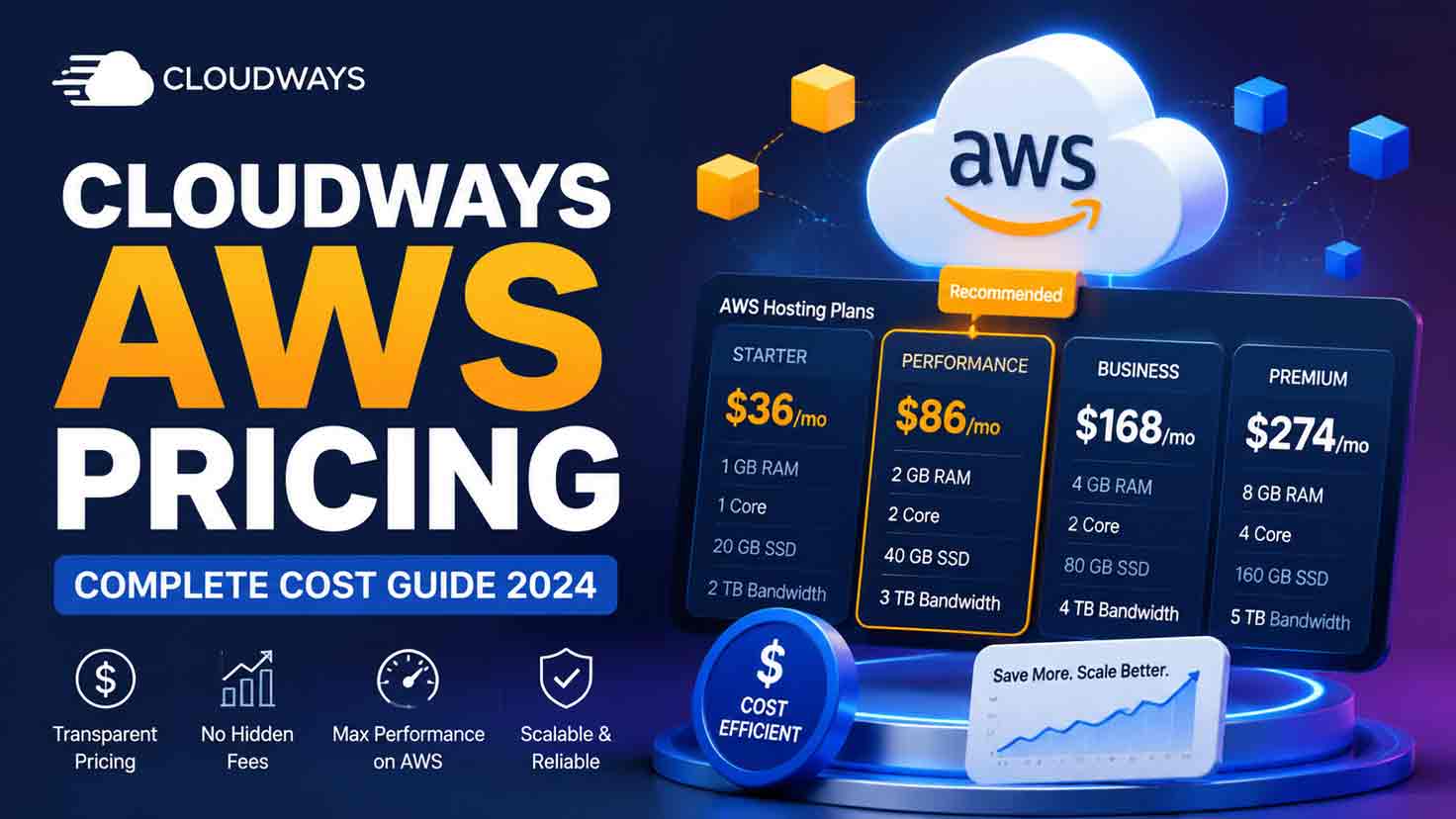
Cloudways AWS currently has published reference configurations ranging from smaller AWS Micro and Small servers through much larger Standard and Compute Optimized configurations, but AWS is actually billed hourly with no monthly cap. Exact launch pricing can also change by region, so the Cloudways launch interface remains the final source of truth.
Pricing verified: August 10, 2026.
The following Standard configurations are useful reference points. Current Cloudways-hosted plan pages continue to publish these server sizes and rates.
| AWS server | RAM | vCPU | Storage starts from | Published hourly rate | Published monthly reference | Practical starting use |
|---|---|---|---|---|---|---|
| AWS Micro | 1 GB | 2 | 20 GB | $0.0286/hr | $20.56 | Development, staging, very light workloads |
| AWS Small | 2 GB | 2 | 20 GB | $0.0536/hr | $38.56 | Small production websites |
| AWS Medium | 4 GB | 2 | 20 GB | $0.1276/hr | $91.84 | Growing WordPress and PHP workloads |
| AWS Large | 8 GB | 2 | 20 GB | $0.2545/hr | $183.22 | WooCommerce, multiple apps, heavier workloads |
| AWS XL | 16 GB | 4 | 20 GB | $0.3961/hr | $285.21 | Larger ecommerce, publishing, and application workloads |
Cloudways says AWS disk sizes are configurable and AWS bandwidth operates on a pay-as-you-go basis. Therefore, the “20 GB storage” and “2 GB bandwidth” values shown on some Cloudways plan widgets should not be interpreted as a complete description of your final resource bill.
Why the “monthly” AWS price can be misleading
The published $38.56, $91.84, $183.22, and $285.21 figures are useful for comparing server sizes, but Cloudways’ March 2026 billing documentation states that AWS has no monthly cap and is always billed hourly.
That means a longer calendar month can produce a higher compute charge.
For example, using the published AWS Small hourly rate:
- 30 days = 720 hours × $0.0536 = about $38.59
- 31 days = 744 hours × $0.0536 = about $39.88
- 28 days = 672 hours × $0.0536 = about $36.02
Those calculations are derived from Cloudways’ published hourly rate and current AWS hourly-billing policy. Small differences from the displayed “$38.56/month” figure reflect the fact that the displayed monthly number should not be treated as an AWS billing cap.
Practical recommendation: budget AWS using the hourly rate and expected hours, then use the monthly figure as a comparison shortcut.
What do the AWS plans cost per GB of RAM?
Price-per-resource calculations can reveal how the economic curve changes between tiers, although they should not be used as the sole plan-selection method.
| Plan | Published monthly reference | Cost per GB RAM | Cost per vCPU |
|---|---|---|---|
| AWS Small | $38.56 | $19.28 | $19.28 |
| AWS Medium | $91.84 | $22.96 | $45.92 |
| AWS Large | $183.22 | $22.90 | $91.61 |
| AWS XL | $285.21 | $17.83 | $71.30 |
The 16 GB tier looks cheaper per GB of RAM than several lower configurations. However, RAM is not interchangeable with CPU capacity, storage, regional AWS pricing, workload behavior, or Cloudways’ management layer, so these ratios are analytical signals rather than value rankings.
How Does Cloudways AWS Hourly Billing Work?
Cloudways AWS hourly billing charges for the actual hours an AWS server is billable, and unlike DigitalOcean, Linode, and Vultr servers, AWS does not receive a monthly price cap. Cloudways’ current billing documentation explicitly separates AWS and GCE from infrastructure providers that receive capped full-month pricing.
“For AWS and GCE servers, there is no monthly cap. Billing is always calculated hourly.”
— Syed Abuzar Mehdi, Cloudways Help Center author, 2026
The practical implication is straightforward: calculate AWS compute costs from the hourly rate first.
What happens if you use AWS for only part of a month?
Partial usage is calculated from the number of billed hours.
For example, an AWS Small server at $0.0536/hour used for 240 hours would produce an estimated compute charge of:
240 × $0.0536 = $12.86
That estimate excludes bandwidth, backup storage, add-ons, taxes, and any other billable resource.
What happens when you scale an AWS server?
Scaling changes the resources and therefore the applicable hourly rate. Cloudways states that AWS supports vertical scaling and that users can change server resources through the Vertical Scaling interface.
A simple illustrative 30-day scenario would be:
- AWS Small for 360 hours: 360 × $0.0536 = $19.30
- AWS Medium for 360 hours: 360 × $0.1276 = $45.94
- Estimated compute total: $65.23
This example is an original calculation based on Cloudways’ published hourly rates; it is not a Cloudways quote or guaranteed invoice.
[Insert image: Cloudways Vertical Scaling panel showing AWS resource controls | Alt text: “Scale Cloudways AWS server resources vertically”]
See How Cloudways Vertical Scaling Works
This walkthrough shows how Cloudways lets you change server resources through the Vertical Scaling interface and review the associated hourly and monthly pricing before proceeding. It is particularly useful here for understanding how a scaling event can change the compute portion of your Cloudways AWS bill.
Video: “1-Click Features On Cloudways | Cloudways 101” by Cloudways.
What happens when you delete a server?
Cloudways says customers are charged for a server through the time it remains billable and that deleting billable resources is required to fully stop associated charges. Its broader billing documentation recommends removing billable resources rather than assuming that simply stopping a resource eliminates every charge.
Why can AWS charges appear on the following invoice?
Cloudways introduced an AWS/GCE carry-forward billing mechanism in 2026. Usage information for certain AWS resources, including bandwidth, disk, and snapshots from the final two or three days of a month, can appear on the following billing cycle because Cloudways receives that provider data later.
That is a useful explanation if your invoice does not perfectly align with a simple calendar-month spreadsheet.
What Extra Costs Should You Expect With Cloudways AWS?
The main Cloudways AWS costs beyond compute are bandwidth, off-site backup storage, configurable infrastructure resources, paid add-ons, support upgrades, and applicable taxes. These charges are important because a server that looks affordable from its base rate can have a materially higher effective cost once real workload usage is included.
How much does Cloudways charge for AWS bandwidth?
Cloudways currently charges AWS bandwidth at $0.12 per GB based on actual usage across all regions. Its current help-center example shows that 100 GB of AWS bandwidth would generate a $12 bandwidth charge.
The calculation is:
AWS bandwidth cost = bandwidth used in GB × $0.12
Examples:
- 100 GB = $12
- 250 GB = $30
- 500 GB = $60
- 1 TB, treated as 1,000 GB for a simple estimate = $120
For a deeper treatment of transfer charges, see my planned Cloudways bandwidth pricing guide.
How much do Cloudways AWS backups cost?
Cloudways Flexible off-site backups cost $0.033 per GB of backup storage, regardless of server provider or location. The amount billed depends on stored backup data and how much application data changes between incremental backups.
“We charge $0.033 per GB of backup storage (irrespective of server provider and location).”
— Syed Abuzar Mehdi, Cloudways Help Center author, 2025
Cloudways also states that backup charges are rounded upward in $0.50 increments. For example, its documentation says a $3.85 calculated backup charge becomes $4.00, while $1.22 becomes $1.50.
That rounding policy is easy to miss in a basic pricing comparison.
See the planned Cloudways backup pricing guide for retention and backup-cost optimization.
What optional Cloudways add-ons can increase the bill?
Cloudways’ pricing page currently lists several optional services that can add recurring charges. As of August 10, 2026, examples include Cloudflare Enterprise starting at $4.99 per domain per month, Site Manager from $3 per application per month, Malware Protection from $4 per application per month, Rackspace Email at $1 per mailbox per month, DNS Made Easy at $0.50 per domain per month, and SafeUpdates starting at $3 per month.
Cloudways is also advertising a time-sensitive Advanced Support promotion. Its current page shows the regular Advanced Support price as $100/month or 10% of the invoice and a promotional flat price of $25/month. Because this is explicitly promotional, verify it again immediately before publishing or purchasing.
I could not verify a stable, current public dollar figure for every Premium Support configuration from the authoritative sources reviewed, so I would not publish a guessed Premium Support price.
Does Cloudways charge tax?
Cloudways applies applicable fiscal taxes such as VAT, GST, or sales tax according to the customer’s billing location and local rules. The tax appears separately on the invoice where required.
What Is the Real Monthly Cost of Cloudways AWS?
The real monthly cost of Cloudways AWS is the sum of hourly compute usage, data transfer, backup storage, optional services, resource-specific charges, and taxes. A useful cost model therefore starts with server hours rather than copying the advertised monthly figure into a budget.
Consider an illustrative AWS Small workload running for 720 hours with 100 GB of AWS bandwidth and 100 GB of billable off-site backup storage:
| Cost component | Calculation | Estimated cost |
|---|---|---|
| AWS Small compute | 720 × $0.0536 | $38.59 |
| AWS bandwidth | 100 GB × $0.12 | $12.00 |
| Backup storage | 100 GB × $0.033 = $3.30, rounded upward to next $0.50 increment | $3.50 |
| Estimated subtotal | Before add-ons and tax | $54.09 |
The $54.09 estimate is an original calculation, not a guaranteed Cloudways invoice. Actual charges can differ because of region, storage configuration, usage timing, taxes, add-ons, billing precision, and carry-forward AWS resource charges.
This is the difference between a headline-price analysis and an effective-cost analysis.
Does Cloudways AWS Pricing Vary by Region?
Cloudways AWS pricing varies by region because AWS infrastructure pricing differs by location, and Cloudways passes those regional differences through to its customers. Cloudways says North American and European regions are generally less expensive than some Asia-Pacific and South American regions.
Cloudways also states that the exact price of your selected AWS configuration is visible during server launch. That live launch-screen quote is more reliable than a static third-party pricing table for a specific region.
How should you compare AWS regions?
Use this process:
- Select the server configuration you actually need.
- Record its price in the first candidate AWS region.
- Change only the region.
- Record the new price.
- Compare the monthly workload cost, not merely server compute.
- Include latency and user geography in the decision.
- Recheck the launch-screen price immediately before deployment.
Do not choose a region solely because it is the cheapest. A slightly more expensive region closer to your customers may still be the better infrastructure decision.
[Insert image: Cloudways AWS launch interface with the region selector and live server price visible | Alt text: “Compare Cloudways AWS pricing by region”]
[Insert custom diagram: Cloudways AWS effective-cost model showing server hours + region + bandwidth + backup storage + add-ons + tax feeding into the final invoice | Alt text: “Calculate Cloudways AWS effective monthly hosting cost”]
Which Cloudways AWS Plan Should You Choose?
The best Cloudways AWS plan is the smallest configuration that provides sustainable CPU, memory, and workload headroom for your application without requiring chronic emergency scaling. Plan selection should be based on observed resource demand and application behavior rather than unsupported claims such as a fixed number of visitors per gigabyte of RAM.
The following recommendations are practical starting heuristics, not Cloudways traffic guarantees.
| Workload | Practical AWS starting point | Why |
|---|---|---|
| Development or staging | AWS Micro | Low-cost environment where production headroom is less critical |
| Small production WordPress site | AWS Small, 2 GB | Reasonable entry point for a cacheable production workload |
| Growing WordPress site | AWS Medium, 4 GB | More memory for plugins, workers, scheduled tasks, and database activity |
| WooCommerce store | AWS Medium or Large, 4–8 GB | Dynamic carts, checkout, admin activity, cron jobs, and database work increase resource demand |
| Agency hosting several applications | AWS Large or XL, 8–16 GB | More aggregate memory and resource headroom across applications |
| High-traffic publication | AWS Large or higher | Useful when concurrent requests and publishing workloads require additional capacity |
| Laravel/PHP production application | 4 GB+ based on profiling | Worker processes, queues, databases, and background jobs determine actual needs |
| Resource-intensive ecommerce/Magento | 8–16 GB or Compute Optimized after profiling | Larger applications often require both memory and CPU headroom |
Cloudways currently supports WordPress, WooCommerce, Magento, Laravel, and custom PHP workloads through its Flexible platform.
When should you choose Compute Optimized AWS?
Compute Optimized AWS should be considered when CPU is the demonstrated bottleneck rather than simply because the plan sounds more powerful. Cloudways publishes both Standard and Compute Optimized AWS server families.
For example, a PHP application spending substantial time in CPU-intensive processing may benefit more from additional CPU capacity than from simply increasing RAM.
Profile first. Upgrade second.
Which AWS plan is best for WooCommerce?
A 4 GB AWS Medium configuration is a more defensible starting point than selecting a plan from traffic estimates alone, while stores with heavier concurrency, large catalogs, expensive queries, high admin activity, or substantial background processing may require 8 GB or more.
Monitor actual CPU, RAM, database load, PHP worker demand, and response times before scaling.
Which AWS plan is best for WordPress?
A 2 GB AWS Small server can be a practical production starting point for a well-optimized, cacheable WordPress website, while more complex plugin stacks, membership functionality, publishing workflows, or multiple sites may justify 4 GB or more.
Again, this is a resource-planning recommendation rather than a guaranteed traffic threshold.
Is Cloudways AWS Cheaper Than Using AWS Directly?
Cloudways AWS should not be evaluated as a simple “cheaper or more expensive than AWS” comparison because Cloudways sells an additional managed operations layer on top of AWS infrastructure. A valid comparison therefore considers administration time, deployment workflow, monitoring, backups, caching, migrations, security operations, support, and infrastructure control alongside raw cloud cost.
For a broader provider comparison, see Cloudways vs AWS.
“Such tasks take away time, talent, and capital from higher-value initiatives that set your products and services apart.”
— Yoshinobu Sawano, Solutions Architect, Amazon Web Services Japan K.K., AWS for Industries, 2020
Sawano was discussing what AWS calls undifferentiated heavy lifting, including server building and operating-system patching. That concept is directly relevant when evaluating whether a managed layer such as Cloudways is worth paying for.
Cloudways AWS vs direct AWS cost structure
| Decision area | Cloudways-managed AWS | Direct AWS |
|---|---|---|
| Infrastructure | Amazon Web Services underneath | Amazon Web Services directly |
| Billing | Cloudways invoice | AWS account billing |
| Server management | Cloudways management layer | Your team or separate managed service |
| Existing AWS account | Cannot be connected to Cloudways | Full use of your own AWS account |
| Stack setup | Cloudways-managed/optimized stack | Architecture selected and configured by you |
| Backups | Cloudways backup workflow with separate Flexible backup storage charge | Designed and billed through AWS services you choose |
| Monitoring | Cloudways platform monitoring/tools | AWS-native or third-party tooling selected by you |
| Scaling | Cloudways Vertical Scaling workflow | Full AWS scaling architecture/control |
| Migration | Cloudways offers a managed migration | Your team, AWS tooling, or another migration provider |
| Operational control | Simplified but opinionated | Much broader infrastructure control |
| Cost analysis | Managed service + underlying cloud costs | Raw AWS services + engineering/operations cost |
Cloudways currently provides features including server management, monitoring, staging, backups, SSL, security controls, caching, vertical scaling, and migration workflows.
Direct AWS, meanwhile, provides far broader infrastructure choice and cost-optimization mechanisms. AWS’ current Pricing Calculator can model workloads and account for applicable discounts or purchase commitments in supported calculator experiences.
What is the better cost metric?
The better comparison is:
Cloudways cost = infrastructure + management platform
versus:
Direct AWS total cost = infrastructure + engineering time + monitoring + backups + security operations + maintenance + support architecture
For a company with experienced cloud engineers and highly customized AWS architecture, direct AWS may offer capabilities and control that justify managing the environment directly.
For a website owner, agency, publisher, or ecommerce business that wants AWS infrastructure without becoming its own cloud-operations team, the Cloudways premium may be economically rational even when the raw infrastructure component is not the cheapest option.
→ Evaluate Cloudways Managed AWS
Can You Use an Existing AWS Account With Cloudways?
You cannot currently connect your existing Amazon Web Services hosting account to Cloudways Flexible AWS. Cloudways says it creates a new Amazon hosting account for users, which is why existing AWS hosting accounts cannot be used through the Cloudways platform.
This limitation deserves consideration if your organization already has an established AWS architecture or account-specific commercial arrangements.
Cloudways also lets users choose the desired AWS data-center location from its server-launch interface, even though the underlying Amazon account is managed through Cloudways.
Does Cloudways Offer a Free Trial for AWS Servers?
Cloudways’ AWS-specific documentation states that the free trial is not available for Amazon Web Services servers and that an account must be upgraded before launching AWS. This AWS-specific restriction takes priority over generic Cloudways Flexible pages that advertise a three-day free trial for the broader Flexible product.
That discrepancy is important because a shopper could reasonably see “Start Your 3-Day Trial” on a generic Cloudways Flexible page and assume AWS is included.
For AWS specifically, verify the launch interface before purchase and assume no AWS free trial unless Cloudways’ AWS-specific terms change.
For broader eligibility details, see the planned Cloudways free trial guide.
How Can You Calculate Your Cloudways AWS Cost Before Launching?
You can estimate Cloudways AWS cost by calculating expected server hours first and then adding bandwidth, backup storage, region-specific pricing, configurable resources, optional services, and taxes. The exact configuration should finally be checked in the Cloudways server-launch interface because AWS regional pricing varies.
Use this formula:
Estimated Cloudways AWS bill = (hourly rate × billable hours) + AWS bandwidth + backup charge + other resource charges + add-ons + taxes
Cloudways AWS pricing calculator scenarios
Using the published AWS Small rate of $0.0536/hour:
| Scenario | Calculation | Approximate amount |
|---|---|---|
| 10 days of AWS Small compute | 240 × $0.0536 | $12.86 |
| 28-day month | 672 × $0.0536 | $36.02 |
| 30-day month | 720 × $0.0536 | $38.59 |
| 31-day month | 744 × $0.0536 | $39.88 |
| 100 GB AWS bandwidth | 100 × $0.12 | $12.00 |
| 500 GB AWS bandwidth | 500 × $0.12 | $60.00 |
| 100 GB off-site backup storage | 100 × $0.033 = $3.30 → rounded up | $3.50 |
| 15 days Small + 15 days Medium | 360 × $0.0536 + 360 × $0.1276 | $65.23 compute |
These examples are planning calculations, not invoice guarantees. Exact costs depend on the live Cloudways configuration, region, billable hours, resource usage, taxes, add-ons, and the timing of AWS usage reporting.
Use the Cloudways launch screen first
The Cloudways launch screen is the most important pricing tool for Cloudways-managed AWS because Cloudways explicitly says it displays the exact price for the selected configuration and location.
[Insert image: Cloudways server-launch configuration showing provider, server size, region, storage, and final live price | Alt text: “Estimate Cloudways AWS cost before launching”]
See How the Cloudways Server Launch Process Works
This walkthrough shows how the Cloudways launch interface brings together cloud-provider selection, server resources, pay-as-you-go pricing, and data-center location. Use it to understand the configuration workflow before checking the live AWS-specific price for the server and region you intend to deploy.
Video: “Launch Your WordPress Site With 1-Click | Cloudways 101” by Cloudways.
Use the Cloudways Billing dashboard after launch
Cloudways’ Billing area lets customers monitor current usage and estimated costs during the billing period. That makes it more useful than waiting for the final invoice to discover unexpected bandwidth or resource consumption.
[Insert image: Cloudways Billing Overview showing month-to-date server and resource charges | Alt text: “Monitor Cloudways AWS billing and current usage”]
Check backup storage separately
Backup storage depends on how much backup data is retained and how much application data changes. Cloudways’ current backup tools let you review stored backup size and adjust frequency and retention settings.
[Insert image: Cloudways server backup settings showing frequency, retention, and backup-storage data | Alt text: “Review Cloudways AWS backup storage usage”]
Use AWS Pricing Calculator for the direct-AWS comparison
AWS Pricing Calculator is useful when you want to compare the managed Cloudways offer with a direct AWS architecture. AWS says the calculator can build workload estimates and, in its authenticated experience, model certain discounts and commitments.
Do not compare a Cloudways AWS server only against one EC2 line item. A direct-AWS estimate should model the full architecture required for an equivalent operational outcome.
[Insert image: AWS Pricing Calculator with a workload estimate for a comparable direct AWS architecture | Alt text: “Compare direct AWS costs with Cloudways AWS pricing”]
What Should You Check Before Buying Cloudways AWS?
A Cloudways AWS pre-purchase audit should validate resources, region, bandwidth, backups, storage, add-ons, scaling expectations, and the live launch price before you deploy. This process reduces the risk of choosing a server based only on an attractive monthly reference figure.
Use this checklist:
- Estimate RAM requirements. Review your current server’s sustained and peak memory usage.
- Estimate CPU demand. Identify whether the workload is CPU-bound before considering Compute Optimized AWS.
- Choose the AWS region. Compare latency requirements and Cloudways’ live regional price.
- Estimate monthly bandwidth. Multiply expected AWS data transfer by the current $0.12/GB Cloudways rate.
- Estimate backup storage. Use expected off-site storage × $0.033/GB and account for Cloudways’ $0.50 rounding increments.
- Check storage requirements. AWS disk size is configurable, so confirm the live configuration rather than assuming 20 GB is universally included.
- List optional services. Include email, CDN, SafeUpdates, advanced support, malware protection, or other required add-ons.
- Model scaling events. Estimate how many hours you could spend on a larger server during launches, campaigns, or seasonal demand.
- Check applicable taxes. Cloudways may add VAT, GST, sales tax, or other fiscal taxes according to billing location.
- Verify the final launch-screen price. Treat that price—not an old review article—as the authoritative purchase-time figure.
If AWS is outside your budget after this audit, compare the economics with Cloudways DigitalOcean pricing and Cloudways Google Cloud pricing before choosing the infrastructure provider.
Conclusion: Is Cloudways AWS Worth the Cost?
Cloudways AWS is worth considering when you specifically want Amazon Web Services infrastructure but prefer Cloudways to handle much of the operational layer around deployment, management, monitoring, optimization, backups, security workflows, and support. The decision should be based on total operational value rather than the headline server figure alone.
The biggest pricing lesson is that Cloudways AWS is truly usage-sensitive. AWS compute is billed hourly without a monthly cap, bandwidth currently costs $0.12/GB, off-site backup storage costs $0.033/GB with billing-rounding rules, and AWS pricing can vary by region.
Choose AWS because its infrastructure characteristics fit the workload—not because AWS is the most recognizable cloud brand.
Then choose the smallest configuration that provides healthy resource headroom, monitor actual consumption, and scale from evidence rather than assumptions.
Frequently Asked Questions About Cloudways AWS Pricing
What is the cheapest Cloudways AWS plan?
Cloudways-hosted plan pages currently show an AWS Micro configuration from $20.56 as a published monthly reference, with an hourly rate of $0.0286. Exact AWS pricing can vary by region, and AWS billing is hourly without a monthly cap.
How much is the Cloudways AWS 2 GB plan?
The published AWS Small 2 GB reference is $38.56, with a currently displayed hourly rate of $0.0536/hour. Because AWS has no monthly cap on Cloudways, actual compute cost depends on billable hours.
How much is the Cloudways AWS 4 GB plan?
The published AWS Medium 4 GB reference is $91.84, with a displayed hourly rate of $0.1276/hour. Regional pricing can vary, so verify the live launch configuration.
Does Cloudways charge separately for AWS infrastructure?
No. Cloudways says its invoice includes the Amazon Cloud Services costs incurred for Cloudways-managed AWS servers.
Can I connect my existing AWS account to Cloudways?
No. Cloudways states that it creates a new Amazon hosting account for users, so an existing AWS hosting account cannot currently be connected to the Cloudways platform.
How much does Cloudways AWS bandwidth cost?
Cloudways currently charges $0.12 per GB for AWS bandwidth based on actual usage across all AWS regions.
How much do Cloudways AWS backups cost?
Cloudways Flexible charges $0.033 per GB of off-site backup storage, irrespective of infrastructure provider or server location. Backup charges are rounded upward in $0.50 increments.
Does Cloudways AWS pricing change by region?
Yes. Cloudways says AWS pricing varies by region and that those infrastructure differences are passed to customers. The live launch interface displays the exact configuration price.
Does Cloudways offer a free trial for AWS?
Cloudways’ AWS-specific VPS documentation says the free trial is not available for AWS servers and that users must upgrade before launching AWS, even though broader Flexible marketing currently promotes a three-day trial.
Can a Cloudways AWS server be scaled up or down?
Cloudways states that AWS supports dynamic vertical scaling with options to upgrade and downgrade server resources through its platform. Because AWS is billed hourly, resource changes can affect the compute cost according to the rate and time spent on each configuration.
References
Amazon Web Services. (2026). AWS Pricing Calculator. AWS Pricing Calculator.
Amazon Web Services. (2026). Generating estimates with Pricing Calculator. AWS Cost Management Documentation. AWS Cost Management.
Cloudways. (2026). Cloudways pricing & plans: Simple managed cloud hosting. Cloudways Pricing.
Cloudways. (2026). Managed AWS, Amazon cloud hosting simplified. Cloudways AWS Hosting.
Cloudways. (n.d.). Cloudways offers powerful yet flexible managed VPS hosting. Cloudways VPS Hosting.
Cloudways. (n.d.). Premium Australia web hosting by Cloudways. Cloudways Australia Web Hosting.
Cloudways. (2026, March 2). Understanding monthly vs. hourly billing on Cloudways. Cloudways Help Center. Cloudways Billing Documentation.
Cloudways. (2026, May 1). Guide to billing at Cloudways. Cloudways Help Center. Cloudways Billing Guide.
Cloudways. (2026). Bandwidth charges of infrastructure providers. Cloudways Help Center. Cloudways Bandwidth Charges.
Cloudways. (2025, November 11). Charges for off-site backups. Cloudways Help Center. Cloudways Backup Charges.
Cloudways. (2026). How does Cloudways payment system work? Cloudways Help Center. Cloudways Payment System.
Sawano, Y. (2020, July 13). Accessing Japan Exchange Group (JPX) arrownet through AWS. AWS for Industries. Amazon Web Services.