Looking to build your website without breaking the bank or getting lost in complicated tech? You’re in the right place.
Hostinger Website Builder promises an easy, affordable way to create a fast, secure website that looks professional — even if you’ve never built one before. Imagine having a platform that not only speeds up your site but also keeps it safe, all while fitting neatly into your budget. Curious if it really lives up to the hype? In this Hostinger Website Builder Review, you’ll discover whether this tool is the perfect fit for your blog, business, or personal project. Ready to find out how it can simplify your online journey? Check it out here: Hostinger Website Builder.
Introduction To Hostinger Website Builder
Hostinger Website Builder is a simple and effective tool for creating websites quickly. It suits beginners, bloggers, and small business owners who want an affordable way to build and manage their online presence. The platform combines ease of use with reliable performance and security features. This section explores what Hostinger offers and who benefits the most from its website builder.
Overview Of Hostinger And Its Website Builder
Hostinger is a well-known hosting company focused on delivering fast and affordable hosting services. Its website builder is part of this service, designed to make website creation accessible to everyone.
- Affordable pricing: Lower costs than many competitors.
- Fast loading speeds: Ensures smooth user experience.
- User-friendly control panel: The Hpanel is easy for beginners.
- Security features: Free SSL certificates and malware scanning.
- Support: Live chat available for quick help.
These features make Hostinger Website Builder a strong choice for those starting online. It offers a balance of performance, security, and simplicity.
Purpose And Target Audience Of Hostinger Website Builder
Hostinger Website Builder aims to serve users who want a no-fuss way to create websites. It fits well for:
- Beginners with little or no coding knowledge.
- Bloggers looking for an easy platform to share content.
- Small business owners needing a professional site without high costs.
The builder provides tools that simplify website management and improve site security. It appeals to users who want affordability without sacrificing speed or reliability.
| Target User | Key Benefit |
|---|---|
| Beginners | Easy setup and control panel |
| Bloggers | Simple content management |
| Small Business Owners | Affordable, secure, and fast websites |
Key Features Of Hostinger Website Builder
Hostinger Website Builder offers a rich set of features designed for easy website creation and management. It suits beginners, bloggers, and small business owners. The platform combines simplicity, speed, and security in one affordable package. Below are the core features that make Hostinger a solid choice for website building.
User-friendly Interface And Hpanel: Simplifying Website Creation
Hostinger uses Hpanel, a custom control panel made for beginners. It is clean and straightforward, helping users build websites without any coding skills.
- Drag-and-drop editor for easy layout design
- Pre-made website templates ready to customize
- Clear navigation menus to manage hosting and site files
- One dashboard to handle domains, emails, and website settings
The interface reduces the learning curve. Users spend less time figuring out controls and more time creating their sites.
Performance And Speed: Ensuring Fast Loading Times
Website speed affects user experience and search rankings. Hostinger Website Builder focuses on fast loading speeds and reliable uptime.
| Feature | Benefit |
|---|---|
| Optimized Hosting Servers | Quick data delivery for smooth browsing |
| SSD Storage | Faster file access and improved site responsiveness |
| High Uptime Guarantee | Website remains live and accessible most of the time |
Integrated Security Features: Free Ssl And Malware Scanning
Security is essential for any website. Hostinger includes important security tools at no extra cost.
- Free SSL certificates to encrypt visitor data and boost trust
- Malware scanning to detect and remove harmful software
- Regular security updates to keep the platform safe
These built-in protections help keep websites secure without needing technical knowledge.
Built-in Backups And Reliability: Protecting Your Data
Data loss can be devastating. Hostinger Website Builder offers automatic backups to safeguard site content.
- Scheduled backups run regularly without manual input
- Easy restore options to recover lost or damaged data
- Improved reliability through consistent data protection
This feature ensures users do not lose their work or important files.
Ai Tools And Automation: Enhancing Website Management
Hostinger includes AI-powered tools that simplify website management tasks.
- Automated suggestions for content and design improvements
- Smart SEO helpers to optimize site visibility
- Streamlined workflows that save time on routine updates
AI features assist users in maintaining a professional and effective website easily.
Pricing And Affordability Breakdown
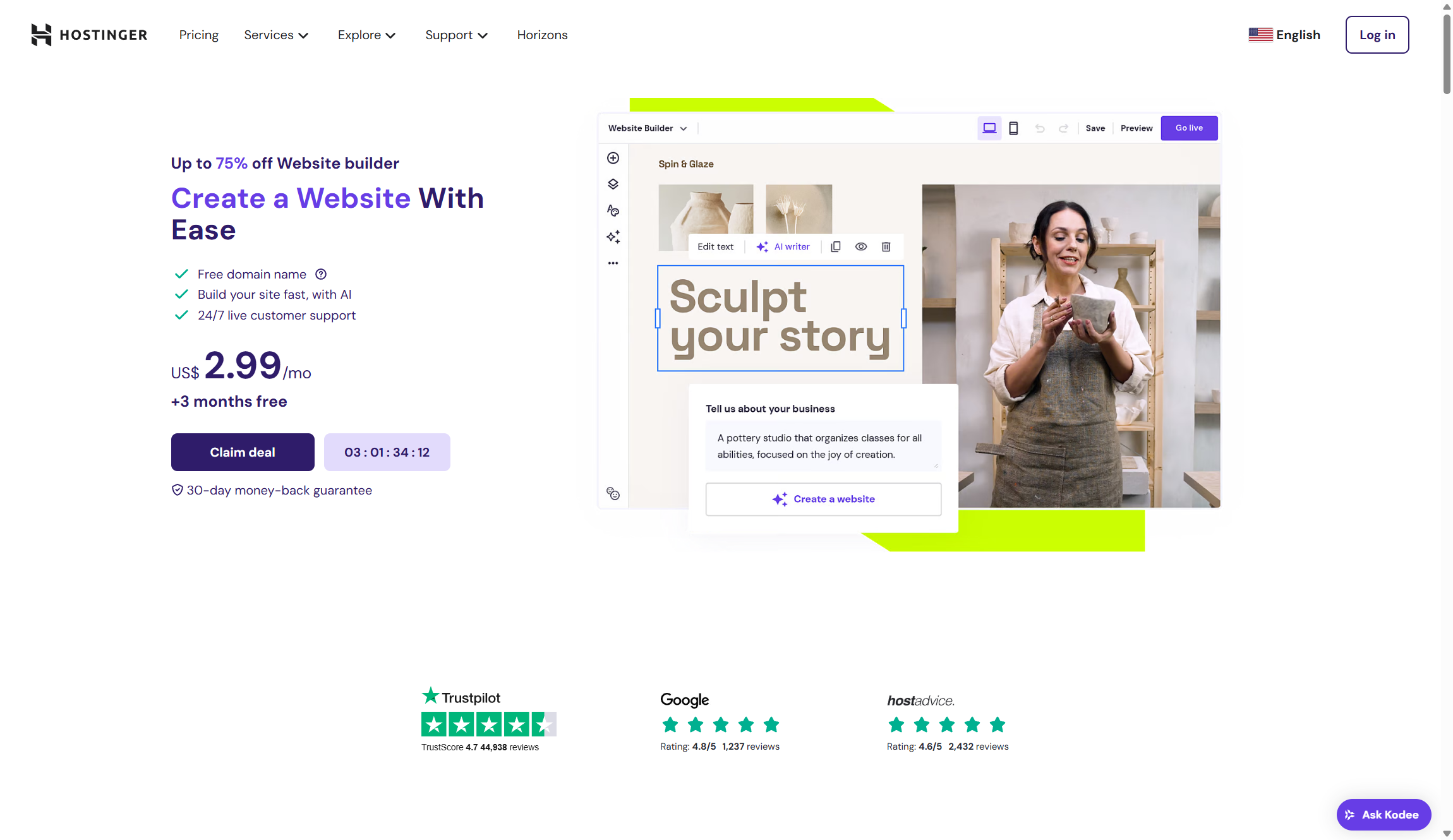
Hostinger Website Builder offers a clear and affordable pricing structure. It suits beginners and small business owners who want budget-friendly web solutions. The plans come with essential features that improve website speed and security without extra cost.
Understanding the costs helps in choosing the right plan. Below is a detailed look at pricing, how it compares to competitors, and the free features included.
Introductory And Renewal Pricing: What To Expect
Hostinger provides low introductory prices to attract new users. These prices are among the most competitive in the market. Renewal prices remain affordable, avoiding sudden cost spikes.
| Plan | Introductory Price | Renewal Price |
|---|---|---|
| Basic | $1.99/month | $3.99/month |
| Premium | $2.99/month | $5.99/month |
| Business | $3.99/month | $7.99/month |
Prices vary depending on the subscription length. Longer commitments offer better rates.
Comparison With Competitors: Value For Money
Hostinger beats many competitors like GoDaddy in pricing and features. Its plans include tools often charged extra by others.
- Lower starting prices than GoDaddy
- Renewals remain affordable, reducing long-term costs
- Performance and uptime are better, increasing website reliability
Overall, Hostinger provides more value for the price paid, especially for users needing simple, effective website solutions.
Free Features Included In Plans: Ssl, Backups, And More
Every Hostinger plan includes several free features that protect and maintain your website.
- Free SSL certificates for secure data transfer
- Automated backups to keep your site data safe
- Malware scanning to protect against threats
- User-friendly control panel (Hpanel) for easy site management
These features reduce the need for additional purchases. They add great value, especially for budget users.
Credit: www.techradar.com
Pros And Cons Based On Real-world Usage
Hostinger Website Builder offers a balanced mix of benefits and drawbacks. Real users report its affordability, solid performance, and helpful support. At the same time, some limitations affect certain users. Below is a detailed look based on actual experiences.
Advantages: Cost-effectiveness, Performance, And Support
- Cost-Effectiveness: Hostinger is known for its low introductory and renewal prices. It provides excellent value for budget-conscious users. Compared to competitors like GoDaddy, Hostinger offers more features at a lower cost.
- Performance: Fast loading speeds and high uptime ensure smooth website operation. This is especially true for WordPress sites. Users notice improved reliability and quicker response times, which enhance visitor experience.
- Support: Hostinger provides live chat support that is quick and helpful. The support team is responsive and knowledgeable. This makes managing websites easier for beginners and small business owners.
Drawbacks: Lack Of Phone Support And Minor Plan Limitations
- Lack of Phone Support: Hostinger does not offer phone support. Users must rely on live chat for assistance. This may be inconvenient for those who prefer direct voice communication.
- Minor Plan Limitations: Some plans have restrictions on features like storage or the number of websites. These limits might require upgrading to a higher plan for growing sites. Users should review plan details carefully before choosing.
Hostinger Website Builder Vs. Competitors
Hostinger Website Builder stands out as an affordable and user-friendly option for creating websites. It targets beginners, bloggers, and small businesses. This section compares Hostinger with major competitors to highlight differences in key areas.
Comparison With Godaddy: Performance, Support, And Pricing
| Feature | Hostinger | GoDaddy |
|---|---|---|
| Performance | Faster loading speeds and higher uptime, especially for WordPress sites | Standard speeds; sometimes slower under heavy traffic |
| Support | Live chat support only; no phone support | Offers both live chat and phone support |
| Pricing | Lower introductory and renewal prices; better long-term value | Higher prices with fewer bundled features |
Hostinger delivers better website speed and uptime than GoDaddy. Its live chat support is quick but lacks phone help. Pricing is more affordable with essential features included. GoDaddy offers phone support but costs more.
Comparison With Wix: Design Tools And Marketing Features
- Design Tools: Hostinger provides simple, beginner-friendly website building tools with an intuitive control panel.
- Wix: Offers more advanced design options and a wider variety of templates.
- Marketing Features: Hostinger includes basic marketing tools suitable for small businesses and bloggers.
- Wix: Includes extensive marketing integrations and SEO tools.
Hostinger focuses on ease of use and core website functions. Wix targets users needing deeper design control and advanced marketing. Hostinger’s tools suit those who want quick setup without complexity.
Ideal Users And Use Cases
Hostinger Website Builder suits a wide range of users due to its simplicity and affordability. Its features focus on speed, reliability, and ease of use. These qualities make it a strong choice for beginners, small business owners, and anyone mindful of their budget. Understanding who benefits most helps in choosing the right website builder.
Beginners And Small Business Owners: Why Hostinger Fits
Hostinger offers a simple control panel called Hpanel, perfect for beginners. No coding skills needed. Small business owners can create professional websites quickly.
- Easy setup: Step-by-step guides and templates.
- All-in-one solution: Hosting, builder, and security in one place.
- Free SSL certificates: Protect customer data and boost trust.
- Live chat support: Help is ready when needed.
This combination saves time and effort, letting users focus on growing their business.
Budget-conscious Users Seeking Speed And Reliability
Hostinger is ideal for those who want fast websites without high costs.
| Feature | Benefit |
|---|---|
| Low introductory and renewal prices | Save money long-term |
| Fast loading speeds | Better user experience and SEO |
| High uptime reliability | Website stays online consistently |
| Automated backups and malware scanning | Secure and protect data easily |
These features make Hostinger a smart choice for users who want reliability without extra costs.
When To Consider Alternatives: Specific Needs And Preferences
Hostinger lacks phone support, relying only on live chat. Some users may find this limiting.
Consider other platforms if you need:
- Advanced customization: More control over design and code.
- Extensive app marketplaces: For adding complex features.
- Phone support: Immediate voice help.
- Enterprise-level hosting: Higher traffic and resource needs.
For simple, affordable sites, Hostinger fits best. For complex or large projects, alternatives might serve better.
Conclusion And Final Recommendations
The Hostinger Website Builder offers a solid option for beginners and small business owners. It balances affordability, speed, and ease of use effectively. Its features and pricing make it a practical choice for those wanting to build a website without complex setups or high costs.
Summary Of Hostinger Website Builder’s Strengths
- Affordable pricing with lower introductory and renewal costs than many competitors.
- Fast loading speeds and high reliability, especially for WordPress users.
- User-friendly control panel (Hpanel) designed for beginners.
- Free SSL certificates included for secure websites.
- Automated backups and security features like malware scanning.
- Responsive live chat support available 24/7.
Who Should Choose Hostinger For 2026 Success
Hostinger suits those who want a reliable, cost-effective website builder. It fits:
- Beginners new to website creation and hosting.
- Small business owners needing quick setup and easy management.
- Bloggers looking for simple tools with strong performance.
- Users who prefer live chat help over phone support.
- Budget-conscious individuals wanting good value with essential features.
Tips For Maximizing Your Website Builder Experience
- Use templates to speed up your website design process.
- Enable SSL certificates to protect visitor data and improve SEO.
- Regularly check automated backups to avoid data loss.
- Explore the Hpanel control panel tutorials for better site management.
- Contact live chat support quickly for help with issues.
- Optimize images and content for faster loading times.

Credit: www.youtube.com

Credit: ashik.me
Frequently Asked Questions
What Are The Downsides Of Hostinger?
Hostinger lacks phone support, offering only live chat assistance. Its entry-level shared plan has limited features compared to higher tiers. Some users may find the website builder less flexible. Renewal rates can increase after the initial term. Overall, downsides are minor for budget-conscious users.
Which Is Better, Godaddy Or Hostinger?
Hostinger offers better value with lower prices, faster speed, free SSL, and backups. GoDaddy suits users needing strong phone support and advanced domain tools but costs more.
Which One Is Better, Hostinger Or Wix?
Hostinger offers faster speeds, better value, and free SSL, ideal for beginners and budgets. Wix excels in easy drag-and-drop website building with rich design options. Choose Hostinger for hosting performance; choose Wix for design flexibility.
What Is The Most Trusted Website Builder?
Wix, Squarespace, and Hostinger rank among the most trusted website builders. Hostinger offers affordable pricing, fast performance, and user-friendly tools. Wix excels in design flexibility, while Squarespace suits creatives with elegant templates. Choose based on your specific needs for ease, features, and support.
Conclusion
Hostinger Website Builder offers a simple way to create websites. It suits beginners and small businesses well. The platform delivers fast loading speeds and strong security. Pricing stays affordable without hidden costs. You manage your site easily using the user-friendly control panel. Support comes through live chat to solve issues quickly. For those wanting a reliable, budget-friendly option, Hostinger is worth trying. Explore more details and sign up here: Hostinger Website Builder.