Choosing the right hosting for your website can feel overwhelming. You want something reliable, affordable, and easy to manage.
If you’re wondering whether to go with Hostinger Shared Hosting or WordPress Hosting, you’re not alone. Both options have their strengths, but which one fits your needs best? You’ll discover the key differences, benefits, and drawbacks of each. By the end, you’ll be confident in your choice and ready to launch your site smoothly. Ready to find the perfect hosting for your project? Let’s dive in and compare Hostinger Shared Hosting and WordPress Hosting side by side. Start exploring Hostinger’s plans here: Hostinger Hosting Plans
Introduction To Hostinger Shared Hosting And WordPress Hosting
Hostinger offers different hosting solutions tailored to website needs. Two popular options are Shared Hosting and WordPress Hosting. Each serves distinct purposes and audiences. Understanding their features helps choose the right plan for your website.
Overview Of Hostinger’s Hosting Services
Hostinger provides several hosting types:
- Shared Hosting: Multiple websites share server resources.
- WordPress Hosting: Optimized specifically for WordPress websites.
- Cloud Hosting: Scalable hosting with more power and flexibility.
- VPS Hosting: Virtual private servers for advanced control.
- Dedicated Hosting: Full server dedicated to one user.
Both shared and WordPress hosting are affordable and beginner-friendly. They come with easy setup and basic management tools. The main difference lies in customization and support level.
Purpose And Target Audience Of Shared Hosting
Shared Hosting suits users who need cost-effective solutions. It works well for:
- Personal blogs
- Small business websites
- New websites with low traffic
This hosting shares server space with other users. It offers:
- Basic security and performance
- Manual updates and management
- Simple control panel
Shared hosting fits those who want an easy start without high costs.
Purpose And Target Audience Of WordPress Hosting
WordPress Hosting targets users focused on WordPress sites. It is ideal for:
- Bloggers and content creators
- Small to medium businesses using WordPress
- Sites needing better speed and security
This hosting provides:
- Automatic WordPress updates
- Built-in caching for faster load times
- Enhanced security tailored to WordPress
- Expert support for WordPress issues
It suits users who want hassle-free WordPress management and better site performance.
Key Features Of Hostinger Shared Hosting
Hostinger Shared Hosting offers a solid foundation for beginners and small projects. It balances cost and performance with essential tools and user-friendly design. The service focuses on simplicity and affordability, making it a popular choice for many starting websites.
Affordable Pricing For Beginners And Small Projects
Hostinger Shared Hosting is known for its budget-friendly pricing. It suits individuals and small businesses with limited budgets. Plans start at very low monthly rates, helping users save money without sacrificing essential features.
This hosting option is ideal for:
- Personal blogs
- Small business websites
- Portfolio sites
- Basic online stores
The low cost makes it easier to launch a website quickly and affordably.
Basic Hosting Tools And Custom Hpanel Interface
Hostinger uses its own custom hPanel, designed for easy navigation. This panel replaces the traditional cPanel and simplifies website management tasks.
- One-click installer for popular apps like WordPress
- File manager with drag-and-drop support
- Email account management
- Database administration
- SSL certificate setup
The tools cover all basic needs without overwhelming beginners. The interface is clean and straightforward, reducing the learning curve.
Resource Allocation And Limitations On Shared Servers
Shared hosting means sharing server resources with other users. Hostinger allocates fixed limits for CPU, RAM, and bandwidth to maintain stability.
| Resource | Typical Limits | Impact |
|---|---|---|
| CPU Usage | Limited to prevent overload | Ensures fair use among users |
| RAM | Restricted for each account | Affects site speed under heavy traffic |
| Bandwidth | Depends on plan, often limited | Controls data transfer and visitor capacity |
These limits keep prices low but may restrict growth for high-traffic sites. Users must monitor usage to avoid slowdowns or service interruptions.
Support Options And Usability Challenges
Hostinger provides 24/7 customer support via live chat and ticketing. The support team helps with technical issues and basic guidance.
However, some users face usability challenges such as:
- Limited advanced technical support compared to managed WordPress hosting
- Learning curve with the custom hPanel for users used to traditional cPanel
- Shared server restrictions affecting troubleshooting speed
Support is reliable for standard questions but less suited for complex site management tasks.
Key Features Of Hostinger WordPress Hosting
Hostinger WordPress Hosting offers a tailored experience for WordPress users. It combines ease of use, security, and speed in a single package. This hosting option is designed specifically to support WordPress websites efficiently.
The features focus on optimizing WordPress performance and simplifying site management. Users benefit from automated processes and expert support made for WordPress needs.
Managed WordPress Environment With Automatic Updates
Hostinger provides a fully managed WordPress environment. This means the platform handles automatic updates for WordPress core, themes, and plugins. It reduces manual work and keeps your site current and secure.
- Automatic WordPress version updates
- Regular plugin and theme updates
- Minimized downtime during updates
This setup ensures your site runs smoothly without you worrying about maintenance tasks.
Enhanced Security Tailored For WordPress Sites
Security features are built to protect WordPress sites specifically. Hostinger includes:
- Daily backups to secure your data
- Advanced firewalls to block attacks
- Malware scanning and removal tools
- SSL certificates for encrypted connections
These measures help keep your site safe from common WordPress vulnerabilities.
Optimized Performance And Scalability For WordPress
Hostinger uses technology to boost WordPress speed and handle traffic growth. Key performance features include:
| Feature | Benefit |
|---|---|
| LiteSpeed Cache | Speeds up page load times |
| SSD Storage | Faster data access and reliability |
| Scalable resources | Easily adjusts to traffic spikes |
These optimizations ensure your WordPress site stays fast and responsive.
Specialized WordPress Support And Tools
Hostinger offers support staff trained in WordPress issues. The help is practical and fast. Tools included are:
- WordPress installer with one click
- Custom control panel for site management
- Staging environment for safe testing
- Easy SSL setup and domain management
This focus on WordPress makes hosting and managing your site easier.
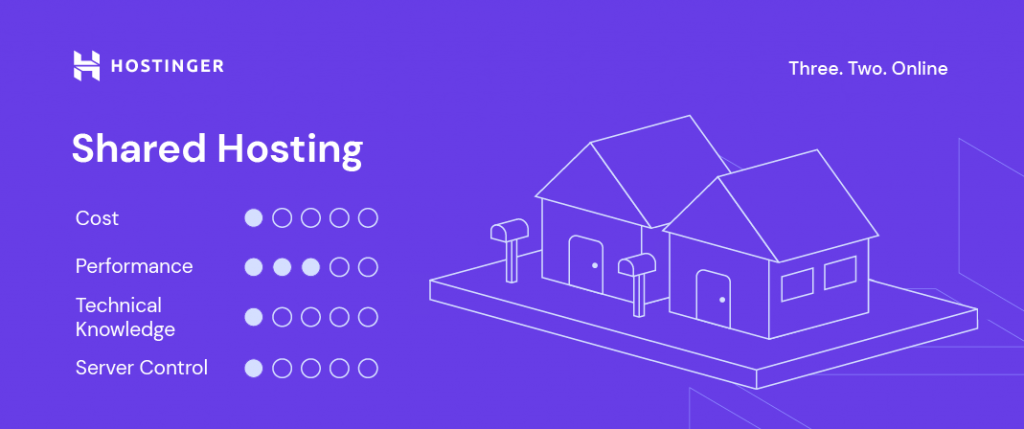
Credit: www.hostinger.com
Pricing And Affordability Breakdown
Understanding the cost differences between Hostinger Shared Hosting and WordPress Hosting helps in making the right choice. Both options offer unique pricing models suited for different needs and budgets. This section breaks down the pricing elements clearly.
Introductory Pricing Vs Renewal Rates For Shared Hosting
Hostinger’s Shared Hosting starts with very low introductory prices. These rates attract new users but usually last only for the first term.
- Introductory prices: Often less than $2.99/month
- Renewal rates: Increase to about $5.99/month or higher
This difference means initial savings may not continue after renewal. It is important to plan for the higher renewal costs when budgeting.
Cost Structure And Value Proposition Of WordPress Hosting
Hostinger’s WordPress Hosting is tailored for WordPress sites with added features.
| Feature | Shared Hosting | WordPress Hosting |
|---|---|---|
| Starting Price | From $1.99/month | From $3.99/month |
| Automatic WordPress Updates | No | Yes |
| Optimized Servers | No | Yes |
| WordPress Support | Basic | Specialized |
WordPress Hosting costs a bit more but offers better value for WordPress users. The price covers management and performance benefits.
Additional Costs: Security, Support, And Add-ons
Both hosting types may require extra spending for enhanced security and support.
- SSL certificates: Often free with Hostinger plans
- Daily backups: Sometimes included; paid as add-on in basic plans
- Priority support: Usually available only in higher-tier plans
Shared Hosting users might pay for features WordPress Hosting includes by default. Factor these costs into total hosting expenses.
Contract Lengths And Their Impact On Overall Cost
Hostinger offers discounts for longer contracts. Paying upfront reduces monthly costs.
- 1-month plan: Highest monthly price
- 12-month plan: Moderate discount
- 24- or 48-month plans: Biggest savings
Longer contracts lock in lower rates but require upfront payment. Short contracts offer flexibility but cost more monthly.
Pros And Cons Based On Real-world Usage
Choosing between Hostinger Shared Hosting and WordPress Hosting depends on practical needs and daily usage. Both options serve different purposes, with distinct benefits and challenges. This section explores their advantages and drawbacks to help make an informed decision.
Advantages And Drawbacks Of Shared Hosting
Shared hosting is a budget-friendly choice where multiple websites share a single server’s resources.
- Advantages:
- Low cost ideal for beginners and small sites.
- Easy setup with standard control panels.
- Flexible for various website types beyond WordPress.
- Drawbacks:
- Performance can slow down due to resource sharing.
- Security risks rise from other sites on the same server.
- Limited specialized tools for WordPress optimization.
Advantages And Drawbacks Of WordPress Hosting
WordPress hosting is tailored for WordPress sites, offering enhanced features and support.
- Advantages:
- Automatic WordPress updates and backups.
- Improved security focused on WordPress vulnerabilities.
- Faster site speed with WordPress-optimized servers.
- Dedicated support teams for WordPress issues.
- Drawbacks:
- Higher price compared to shared hosting.
- Less flexibility for non-WordPress websites.
- Some plans limit plugin or theme choices.
Comparative Impact Of Server Sharing On Performance And Security
| Aspect | Shared Hosting | WordPress Hosting |
|---|---|---|
| Performance | Variable speed; depends on other sites’ traffic. | Consistent speed; servers optimized for WordPress. |
| Security | Higher risk; shared environment can expose sites. | Lower risk; enhanced WordPress-specific protections. |
| Resource Allocation | Resources shared equally; possible slowdowns. | Resources often reserved; better reliability. |
User Experience: Support Accessibility And Usability
Hostinger Shared Hosting offers general support suitable for various platforms. The support team handles basic hosting issues and setup.
WordPress Hosting provides specialized support focused on WordPress-related questions. Support staff understand WordPress deeply, aiding faster problem solving.
Usability in both plans includes user-friendly control panels, but WordPress hosting often includes tools pre-installed for easier site management.
- Shared hosting: Simple interface, less WordPress automation.
- WordPress hosting: Built-in caching, staging environments, and easy updates.
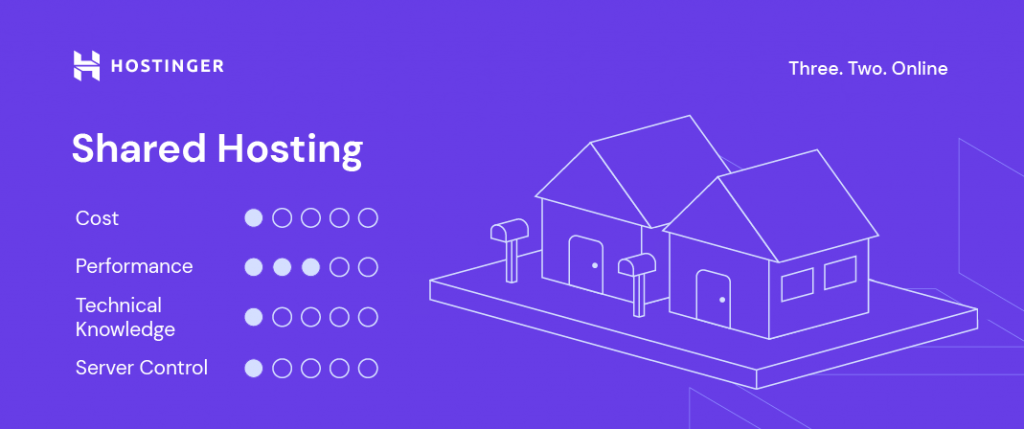
Credit: www.hostinger.com
Ideal Users And Usage Scenarios
Choosing the right hosting depends on your website needs and skills. Hostinger offers two main options: Shared Hosting and WordPress Hosting. Each suits different users and scenarios. Understanding who benefits most from each helps in making the best decision for your site’s growth and performance.
Who Should Choose Hostinger Shared Hosting?
Shared Hosting fits users wanting simple, affordable hosting. It works well for:
- Beginners starting small websites or blogs
- Personal projects without complex needs
- Sites with low to moderate traffic
- Users comfortable managing basic hosting tasks manually
- Those seeking to save costs on hosting
It offers essential features without extra WordPress-specific tools. Ideal for general websites and simple content.
Who Benefits Most From Hostinger WordPress Hosting?
WordPress Hosting targets users focused on WordPress sites. It is best for:
- Bloggers and businesses using WordPress CMS
- Users needing automatic updates and backups
- Sites requiring enhanced security tailored to WordPress
- Those wanting faster setup with WordPress pre-installed
- Users who prefer specialized WordPress support
This hosting type boosts performance and security for WordPress users. It simplifies site management with WordPress-focused tools.
Scenarios Favoring Shared Hosting For Cost And Simplicity
Shared Hosting works well when budget and ease matter most. Example scenarios:
- Launching a personal blog or portfolio with limited visitors
- Running a small business site with basic online presence
- Testing or learning website building without technical complexity
- Hosting multiple small sites on one account to save money
Its lower price and straightforward setup suit users who want less technical involvement.
Scenarios Favoring WordPress Hosting For Advanced Features And Security
WordPress Hosting fits sites needing strong performance and security. Ideal cases include:
- Growing blogs needing automatic WordPress updates
- Businesses requiring daily backups and malware protection
- Websites with high traffic demanding faster loading times
- Users wanting expert WordPress support and troubleshooting
This option provides peace of mind with managed services and WordPress-optimized tools.
Conclusion And Final Recommendations
The choice between Hostinger Shared Hosting and WordPress Hosting depends on your website goals and technical needs. Each hosting type offers distinct benefits suited for different users. Understanding these differences helps pick the right plan for your site’s success.
Summary Of Key Differences And Benefits
| Feature | Hostinger Shared Hosting | Hostinger WordPress Hosting |
|---|---|---|
| Target Users | Beginners and budget-conscious users | WordPress site owners needing optimized support |
| Performance | Basic speed and resource allocation | Enhanced speed with WordPress-specific caching |
| Security | Standard security features | Automatic WordPress updates and malware scans |
| Ease of Use | General hosting control panel | WordPress-tailored dashboard and tools |
| Price | Lower cost, affordable for small sites | Higher cost, includes managed services |
Decision-making Guide Based On User Needs And Priorities
- Choose Shared Hosting if you want low price and simple hosting.
- Pick WordPress Hosting for better speed and security tailored for WordPress.
- Consider your technical skills: Shared hosting suits beginners. WordPress hosting helps those wanting managed support.
- Think about website goals: Small blogs or portfolios can use Shared Hosting. Growing blogs or stores need WordPress Hosting.
- Budget matters: Shared Hosting is cheaper. WordPress Hosting costs more but offers extra features.
Future Outlook: Hosting Trends And Hostinger’s Roadmap
Hosting services are moving toward more automation and stronger security. Managed WordPress hosting grows in popularity due to ease and performance.
Hostinger plans to improve speed and add more WordPress-centered tools. Cloud and VPS hosting options will expand for advanced users.
Focus remains on user-friendly interfaces and affordable pricing. Hostinger aims to support beginners and professionals alike with flexible hosting solutions.
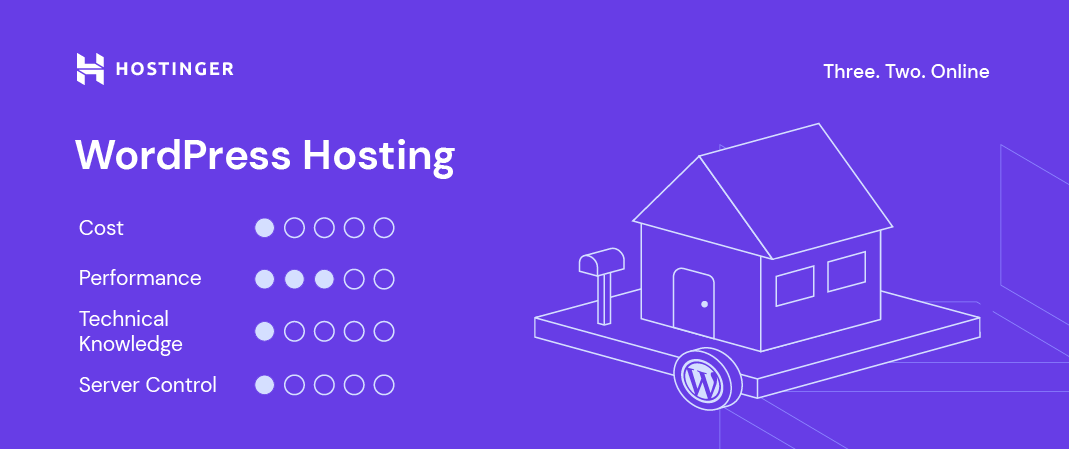
Credit: www.hostinger.com
Frequently Asked Questions
Is It Better To Use Hostinger Or WordPress?
Hostinger offers affordable, easy hosting ideal for beginners and small sites. WordPress suits users needing advanced content management and customization. Choose Hostinger for budget-friendly setup; pick WordPress for flexible, feature-rich site control and multilingual support.
What’s The Difference Between Shared Hosting And WordPress Hosting?
Shared hosting hosts multiple websites on one server, offering basic features and lower cost. WordPress hosting specializes in WordPress sites, providing optimized performance, automatic updates, enhanced security, and dedicated support.
What Is The Main Disadvantage Of Shared Hosting?
The main disadvantage of shared hosting is limited resources and performance due to multiple websites sharing the same server. This can cause slower loading times and increased downtime during high traffic or security issues.
What Is The Disadvantage Of Hostinger?
Hostinger’s disadvantages include limited advanced features on basic plans, no dedicated servers, higher renewal prices, and a custom control panel. Users may face resource limits under heavy traffic and challenges reaching human support quickly.
Conclusion
Choosing between Hostinger shared hosting and WordPress hosting depends on your needs. Shared hosting suits those wanting low-cost and simple site management. WordPress hosting fits users needing faster updates, better security, and WordPress-specific tools. Both options have pros and cons, so think about your website goals. For affordable and reliable hosting, consider Hostinger’s plans. Explore more details and get started by visiting Hostinger hosting. This choice can help your website run smoothly without extra hassle.