


Have you ever struggled with keeping track of your money? FreshBooks is here to help! It is a special tool for small businesses, freelancers, and contractors. FreshBooks makes accounting and financial management easy. This is important because many people find numbers hard to understand. With FreshBooks, they can spend more time doing what they love.
FreshBooks offers many features. It helps users with invoicing, expense tracking, time tracking, and more. All these features make it easier to manage money. This article will explore the FreshBooks demo and how it can benefit users.
Key Features and Benefits of FreshBooks
FreshBooks stands out because of its amazing features. Let’s dive into each one!
- Invoicing: Users can create and send invoices easily. They can customize them to look professional. FreshBooks also supports recurring invoices. This means users can set up invoices to go out on a schedule. They can also set auto-reminders for payments.
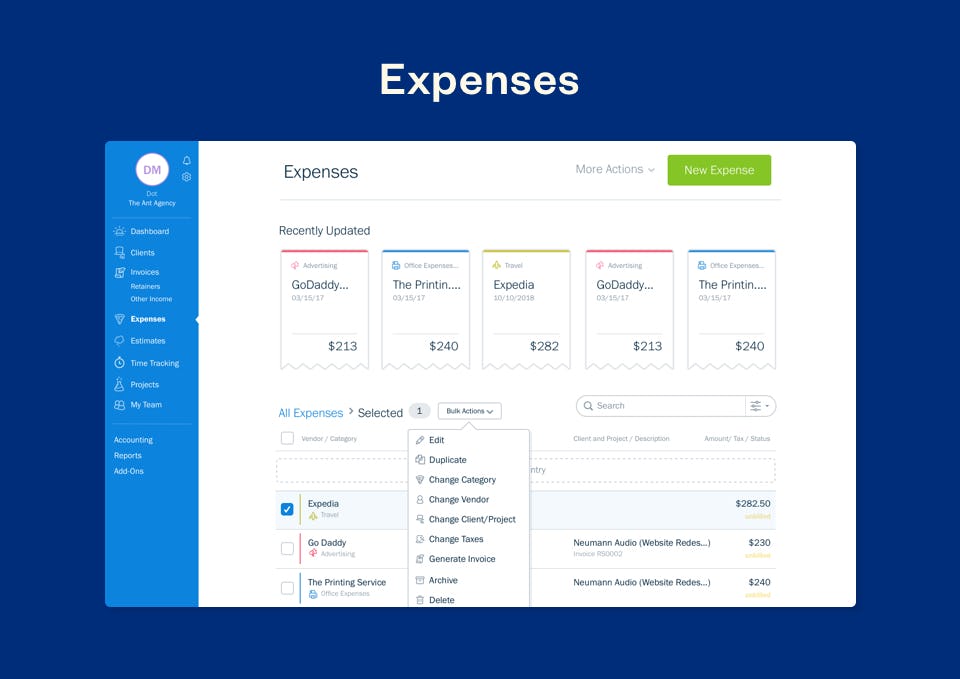
- Expense Tracking: Users can track their expenses easily. They can categorize expenses and upload receipts. This makes it simple to keep track of spending. Users can also track billable expenses, which is great for freelancers.
- Time Tracking: FreshBooks has a time tracking feature. Users can log hours for projects. This helps them bill clients accurately. When they finish logging hours, they can turn them into invoices.
- Project Management: FreshBooks helps users manage projects. They can collaborate with clients and track project progress. Users can also assign tasks to keep everything organized.
- Payments and Integrations: FreshBooks supports many payment options. Users can accept credit cards, PayPal, and Stripe. It also integrates with tools like Shopify, Gusto, and Zapier. This makes life easier for users who need multiple tools.
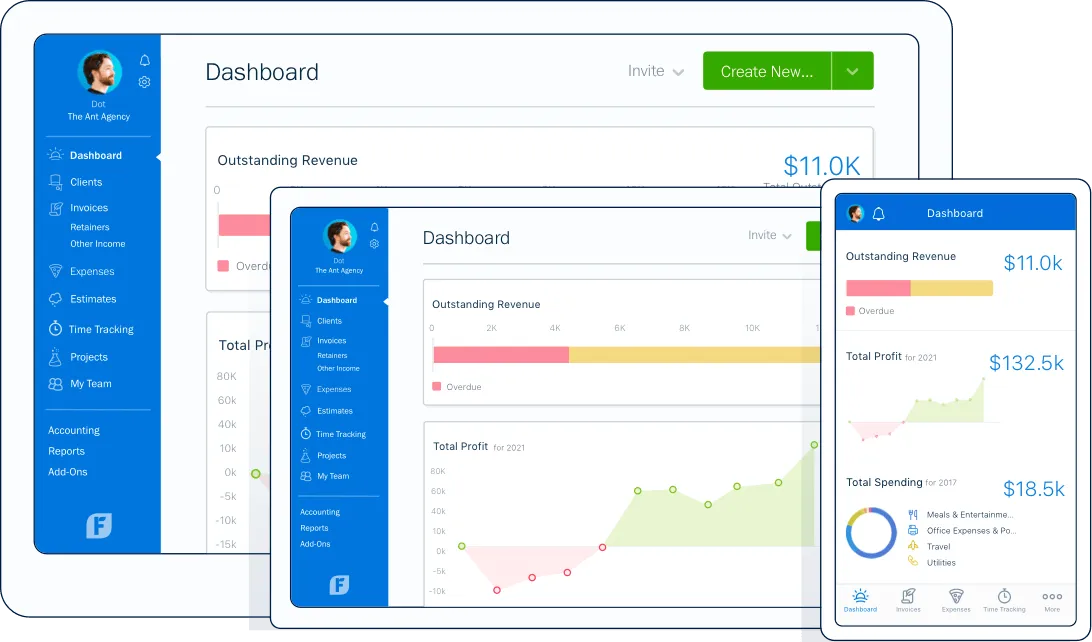
- Financial Reports and Insights: Users can generate detailed reports. These include profit and loss statements and tax summaries. This helps businesses understand their financial health.
FreshBooks Pricing Plans
FreshBooks offers several pricing plans. Each plan has different features. Here is a breakdown:
| Plan | Price | Best For | Features Included |
|---|---|---|---|
| Lite | $15/month | Freelancers | 5 clients, invoicing, expense tracking |
| Plus | $25/month | Small Businesses | 50 clients, time tracking, project management |
| Premium | $50/month | Growing Agencies | 500 clients, advanced reports, custom branding |
| Select | Custom Pricing | Large Businesses | Unlimited clients, dedicated support |
FreshBooks also offers a 30-day free trial. You don’t need a credit card to sign up. This way, users can explore the platform without any risk.
There are discounts for annual subscriptions. Users can save money by paying for a whole year upfront. Compared to competitors, FreshBooks is affordable. The free trial and discounts make it more attractive for new users.
Who Should Use FreshBooks?
FreshBooks is perfect for freelancers, small business owners, and service-based professionals. Here are some examples:
- Freelancers: They can track time and bill clients accurately. Time tracking features help them get paid for their work.
- Small Businesses: They can manage expenses easily. Expense tracking ensures they know where their money goes.
- Consultants: They can create professional invoices and manage projects efficiently.
- Contractors: They can collaborate with clients and track project progress.
- Photographers: They can send invoices for their services and keep track of expenses.
FreshBooks Integrations with Other Tools
FreshBooks integrates with many other tools. This makes it even more powerful. Here are some important integrations:
- Shopify: Great for eCommerce businesses. Users can sync their sales data easily.
- Gusto: Helps with payroll management. Users can manage their employees’ payments.
- Zapier: Automates workflows. Users can connect FreshBooks with hundreds of apps.
- Stripe and PayPal: These are important for accepting payments. They provide multiple options for clients.
- QuickBooks: Users can sync accounting data easily. This helps keep everything organized.
- HubSpot: Integrates with CRM. This helps manage customer relationships better.
Integrations are essential. They help businesses manage multiple platforms. FreshBooks makes it easy to connect with tools that users already love.
Frequently Asked Questions
What Is Freshbooks Used For?
FreshBooks is primarily used for simplifying invoicing and financial management for small businesses and freelancers.
How Does Freshbooks Simplify Invoicing?
It allows users to create, customize, and send professional invoices easily, with features like recurring billing and auto-reminders.
Can I Track Expenses In Freshbooks?
Yes, FreshBooks enables users to categorize expenses, upload receipts, and track billable expenses efficiently.
Is There A Time Tracking Feature?
FreshBooks offers a time tracking tool that helps users log billable hours and convert them into invoices seamlessly.
Conclusion
In summary, FreshBooks is a fantastic tool for small businesses and freelancers. It simplifies invoicing, expense tracking, and time management. With various features, pricing plans, and integrations, FreshBooks meets many needs. The FreshBooks demo offers a great way to explore its features without any risk.
To learn more about FreshBooks, check out this FreshBooks offer.





