Are you tired of juggling spreadsheets and struggling to keep track of your clients, invoices, and financial records? As an accountant, you know how crucial organization is to your work.
But managing everything manually can be overwhelming and time-consuming. You need a tool that simplifies your workflow, keeps your finances in order, and helps you stay ahead in the game. That’s where the right CRM software comes in.
We’ll introduce you to the best CRM software for accountants that’s designed to meet your unique needs. Whether you’re looking to streamline your client management, automate invoicing, or gain real-time insights into your finances, we’ve got you covered. And don’t worry—this isn’t just another software recommendation.
We’ll show you how FreshBooks, a leading accounting solution, can transform the way you work. Ready to discover how you can save time, reduce stress, and grow your accounting practice?
Keep reading to find out how FreshBooks can be your ultimate partner in success!
Introduction To Crm Software For Accountants
CRM software helps accountants manage client relationships and business tasks. It keeps all client data organized in one place. This leads to better communication and faster service.
Accountants handle many clients and complex data daily. A strong CRM system simplifies their work. It tracks interactions, schedules, and important documents easily.
Using CRM software, accountants can focus more on providing expert advice. It removes manual work and reduces errors. This improves overall productivity and client satisfaction.
Understanding The Role Of Crm In Accounting
CRM stands for Customer Relationship Management. It stores and manages client information. For accountants, CRM:
- Keeps client contact details updated
- Tracks communication history
- Organizes documents like invoices and contracts
- Manages appointments and deadlines
These features help accountants build trust with clients. They ensure no important detail is missed. CRM also supports billing and payment tracking, making finance management smoother.
How Crm Software Enhances Workflow Efficiency
CRM software reduces repetitive tasks. It automates reminders for meetings and deadlines. This stops missed appointments and late filings.
Accountants can quickly access client histories. This saves time during consultations. Collaboration within teams improves too. Everyone sees the same updated information.
| Workflow Benefit | How CRM Helps |
|---|---|
| Time Management | Automated scheduling and task alerts |
| Data Organization | Centralized client records and files |
| Communication | Tracking emails and calls in one place |
| Team Collaboration | Shared access to client information |
Freshbooks is an example of CRM software designed for accountants. It offers easy invoicing, expense tracking, and client management tools. Visit Freshbooks to explore features suited for accounting needs.

Credit: blog.hubspot.com
Key Features Of Top Crm Software For Accountants
Top CRM software for accountants offers features that streamline client management and improve productivity. These tools help organize contacts, automate scheduling, and protect sensitive financial data. They also integrate with accounting systems, making workflows smoother. Customizable reporting and analytics provide insights into client activities and business performance. Each feature supports accountants in managing their client relationships efficiently and securely.
Client Management And Contact Organization
Efficient client management is vital for accountants. CRM software stores all client information in one place, including contact details, communication history, and important notes. This centralization helps accountants access data quickly and maintain strong client relationships.
- Centralized contact database: Easily find client details and interaction history.
- Segmentation: Group clients by type, service, or priority for targeted communication.
- Activity tracking: Record emails, calls, and meetings for complete client profiles.
Automated Task And Appointment Scheduling
Automated scheduling saves time and reduces errors. CRM systems send reminders for appointments and deadlines. Task automation helps accountants stay on top of client requests and internal duties.
- Calendar integration: Sync with Google Calendar or Outlook to avoid double bookings.
- Automatic reminders: Notify clients and team members about upcoming meetings.
- Task automation: Assign recurring tasks to team members automatically.
Integration With Accounting And Financial Tools
Seamless integration with accounting software is essential. It allows data to flow between systems, reducing manual input and errors. FreshBooks, for example, connects with popular financial tools to streamline billing and expense tracking.
| Integration Feature | Benefit for Accountants |
|---|---|
| Invoice and Payment Sync | Automatically updates client billing information. |
| Expense Tracking | Tracks costs linked to client projects easily. |
| Bank Feed Connection | Matches transactions with client accounts for accuracy. |
Robust Security And Data Privacy Measures
Protecting client data is non-negotiable. CRM software includes strong security features like encryption and access controls. These measures keep financial information safe from breaches and unauthorized access.
- Data encryption: Secures information during storage and transfer.
- Role-based access: Limits data access based on user roles.
- Regular backups: Prevents data loss in case of system failure.
Customizable Reporting And Analytics
Custom reports help accountants track performance and client activity. CRM tools generate insights that support better decision-making and business growth.
- Pre-built templates: Use ready-made reports for quick analysis.
- Custom report builder: Create reports tailored to specific needs.
- Visual dashboards: View key metrics through charts and graphs.
Pricing And Affordability Of Crm Solutions
Choosing the right CRM software for accountants involves understanding the pricing and affordability. Costs vary by subscription types, included features, and trial availability. Knowing these factors helps make smart decisions that fit budgets and business needs.
Comparing Subscription Models And Costs
CRM software usually offers several subscription plans. These plans differ in price, user limits, and included features. Common models include monthly and annual payments. Annual plans often provide discounts compared to monthly ones.
| Plan | Price (Monthly) | Users Allowed | Key Features |
|---|---|---|---|
| Basic | $15 | 1 | Client management, Invoicing, Expense tracking |
| Plus | $25 | Up to 5 | All Basic features, Time tracking, Project proposals |
| Premium | $50 | Unlimited | All Plus features, Advanced reporting, Custom workflows |
Pricing can increase with added users or extra features. Choosing a plan depends on team size and required tools.
Assessing Value For Money Based On Features
Value means more than just low price. It depends on useful features for accountants. Features like automated invoicing, payment reminders, and client data security add value.
- Automation: Saves time on routine tasks.
- Integration: Works well with accounting tools.
- Support: Easy access to help when needed.
- Scalability: Grows with your business needs.
Choosing a CRM that matches your workflow provides better return on investment. Avoid paying for features you won’t use.
Free Trials And Demo Options To Test Before Buying
Many CRM providers offer free trials or demos. These let accountants test software without cost or risk. Trials usually last 14 to 30 days.
- Explore the interface and usability.
- Check if key features meet your needs.
- Evaluate customer support quality.
- Test integration with other accounting tools.
Use trial periods fully to decide if the CRM fits your business. Demos guided by experts can clarify doubts quickly.
Pros And Cons Of Leading Crm Software For Accountants
Choosing the right CRM software helps accountants manage clients efficiently. Each top CRM tool offers unique strengths and some drawbacks. Understanding these factors aids in making the best choice for your accounting practice.
Advantages In Streamlining Client Communication
Freshbooks excels at simplifying communication with clients. It centralizes emails, invoices, and payment reminders in one place.
- Automated invoicing saves time and reduces errors.
- Integrated messaging keeps all client interactions organized.
- Mobile app access allows updates on the go.
- Real-time notifications ensure prompt responses.
These features reduce manual tasks and improve client satisfaction.
Limitations And Potential Drawbacks
Some limitations affect Freshbooks and similar CRM software for accountants.
- Limited customization options for complex workflows.
- Pricing can increase with additional users or advanced features.
- Occasional syncing issues with third-party apps.
- Learning curve for users new to cloud-based software.
Accountants with specialized needs might find these drawbacks challenging.
User Experience And Customer Support Insights
Freshbooks offers a user-friendly interface with clear navigation. The dashboard presents key client data simply.
| Aspect | Details |
|---|---|
| Ease of Use | Intuitive design, easy setup, quick onboarding |
| Customer Support | Responsive chat and email support, detailed help center |
| Training Resources | Video tutorials, webinars, and FAQs available |
Support teams respond quickly, helping resolve issues fast. This improves overall user satisfaction.
Ideal Users And Use Cases For Crm Software In Accounting
CRM software brings clear benefits to accounting professionals. It helps manage client relationships, track communication, and organize tasks. Different types of accountants use CRM tools based on their specific needs. Understanding who benefits most guides choosing the right CRM.
Small To Medium Accounting Firms
Small and medium accounting firms handle multiple clients and services. CRM software helps them:
- Organize client data in one place for easy access.
- Track communication history to improve client service.
- Manage appointments and deadlines to avoid missed tasks.
- Streamline billing and invoicing processes.
These firms benefit from CRM tools that are simple, affordable, and scalable. Freshbooks offers a user-friendly platform ideal for these firms.
Freelance Accountants And Consultants
Freelancers and consultants need CRM for client management without complex setups. Key uses include:
- Tracking leads and proposals to win new clients.
- Managing client contacts efficiently.
- Automating invoicing and payment reminders to save time.
- Keeping notes on client preferences to personalize service.
Freshbooks suits freelancers by combining CRM with accounting features in a simple interface.
Accounting Teams Handling Large Client Portfolios
Large accounting teams work with many clients and complex data. CRM software supports them by:
- Centralizing client records for team-wide access.
- Tracking task assignments and progress to meet deadlines.
- Generating reports to monitor client status and team performance.
- Ensuring compliance through documented communication and workflows.
Freshbooks offers scalable tools that help large teams stay organized and efficient.
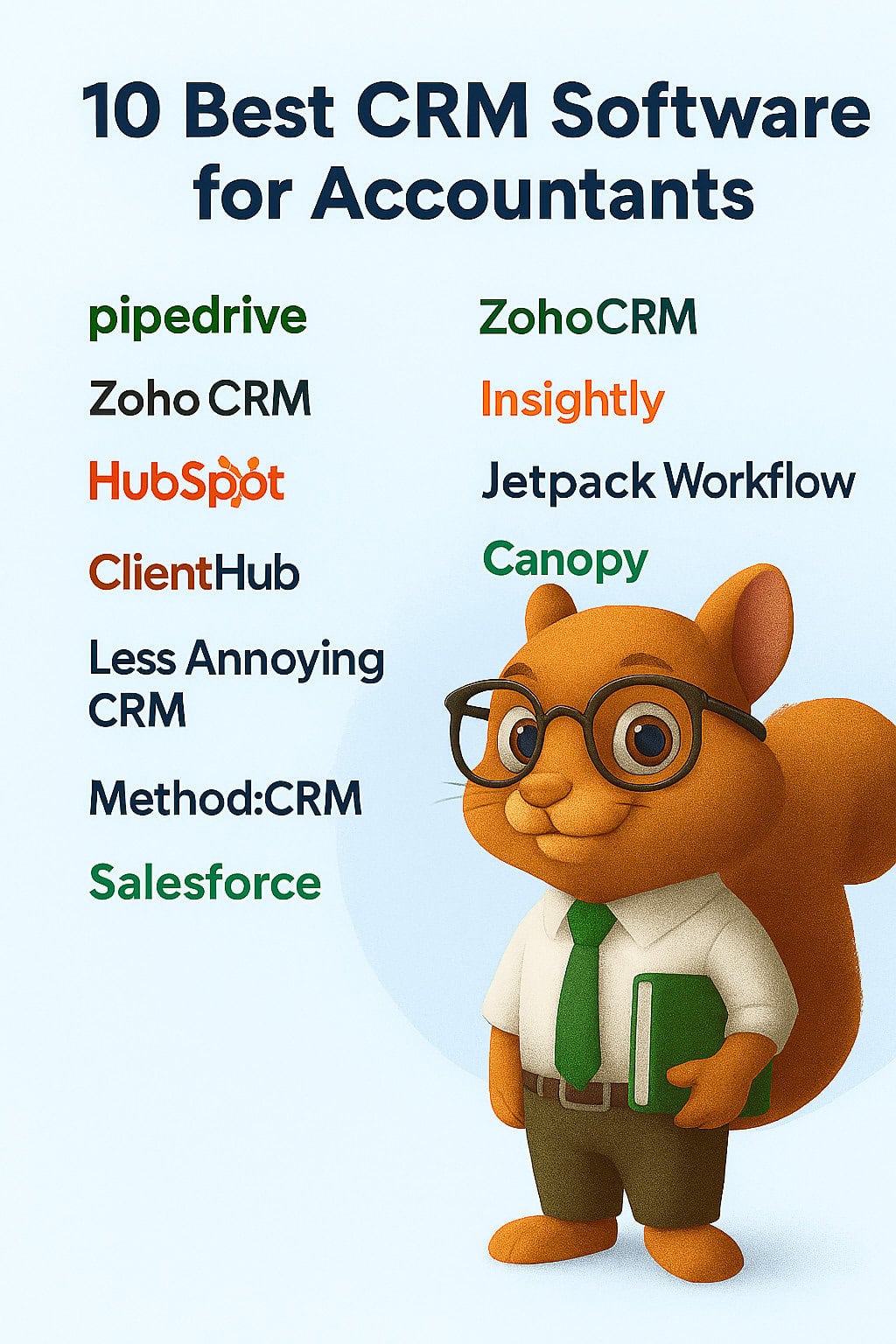
Credit: crmsquirrel.com
Conclusion: Choosing The Right Crm To Streamline Your Accounting Workflow
Accountants need a reliable CRM to manage client relationships efficiently. The right tool streamlines workflows, improves communication, and saves time. By integrating a CRM into your practice, you can focus on delivering quality services while automating repetitive tasks.
Summary Of Benefits And Key Considerations
A CRM tailored for accountants can bring numerous advantages to your business. Here are the main benefits:
- Improved Client Management: Track client interactions and store important data in one place.
- Enhanced Collaboration: Share updates and tasks easily with your team.
- Time-Saving Automation: Automate invoicing, reminders, and follow-ups to reduce manual work.
- Data Insights: Access analytics to understand client needs and improve services.
When selecting a CRM, consider the following factors:
- Ease of Use: Ensure the platform is user-friendly and requires minimal training.
- Integration Capabilities: Check if it syncs with accounting software like FreshBooks.
- Scalability: Choose a CRM that grows with your business needs.
- Cost: Evaluate pricing plans to align with your budget.
Tips For Successful Crm Implementation In Accounting Practices
Implementing a CRM effectively requires planning and team collaboration. Follow these tips for a seamless transition:
- Set Clear Goals: Identify what you want to achieve with the CRM, such as better client tracking or automated billing.
- Train Your Team: Provide training sessions to ensure everyone can use the system efficiently.
- Migrate Data Carefully: Double-check client data during migration to avoid errors.
- Start Small: Begin with a few core features and expand as your team gets comfortable.
- Monitor Performance: Regularly review how the CRM is helping your workflow and make adjustments as needed.
By implementing these steps, you can maximize the benefits of a CRM like FreshBooks and create a more efficient accounting process.
Credit: crmsquirrel.com
Frequently Asked Questions
What Features Should Accountants Look For In Crm Software?
Accountants need CRM software with client management, invoicing, task automation, and secure data handling. Integration with accounting tools and easy report generation are also vital for efficiency and accuracy.
How Does Crm Software Improve Accounting Workflows?
CRM software streamlines client communication, tracks leads, automates routine tasks, and organizes documents. This reduces manual work, minimizes errors, and enhances overall productivity in accounting firms.
Which Crm Software Is Best For Small Accounting Firms?
For small firms, user-friendly CRM like HubSpot, Zoho CRM, or Freshsales offers affordability, scalability, and essential accounting integrations. These tools balance features with ease of use and cost-effectiveness.
Can Crm Software Integrate With Accounting Tools?
Yes, many CRM solutions integrate seamlessly with popular accounting software like QuickBooks, Xero, and Sage. This integration ensures synchronized data, reduces manual entry, and improves financial accuracy.
Conclusion
Choosing the right CRM software makes accounting tasks easier and faster. Freshbooks offers simple tools for managing clients and invoices. It helps track expenses and organize your work smoothly. Many accountants find Freshbooks user-friendly and reliable. Want to explore Freshbooks? Visit Freshbooks to learn more and get started today. A good CRM saves time and keeps your work neat. Pick what fits your needs and watch your accounting improve.